- 10 -
0531AB50.70.51KS50.70.51CK
emaN-DtlletsreemaN.rpegemaN.ftztesre.dtztesre
6. Erste Inbetriebnahme
Betrieb
(Einschalten, Ausschalten,
Bedienungselemente)
6.3 Betrieb
• Für etwa 15 Minuten nach dem Einschalten bleibt der
Taupunktanzeiger im roten Bereich.
• Sollte danach während des Betriebes der Taupunktan-
zeiger im roten Bereich sein, liegt eine Störung vor (sie-
he Kapitel 9. „Störungen“).
• Die Ausscheidung von Kondensat aus der Druckluft be-
ginnt sofort nach dem Öffnen der Druckluftein- und -
austrittsventile, sowie dem Schließen des Druckluft-
Bypassventiles.
Beachten Sie bitte die Hinweise im Kapitel
8. „Wartung, Instandhaltung“.
6.4 Ausschalten
Schalter in die Position „0“ (Aus) schalten.
• Gerät ist ausgeschaltet.
(Leuchtmelder „KÄLTEMITTELVERDICHTER EIN“ ist
ausgeschaltet)
6.5 Bedienungselemente
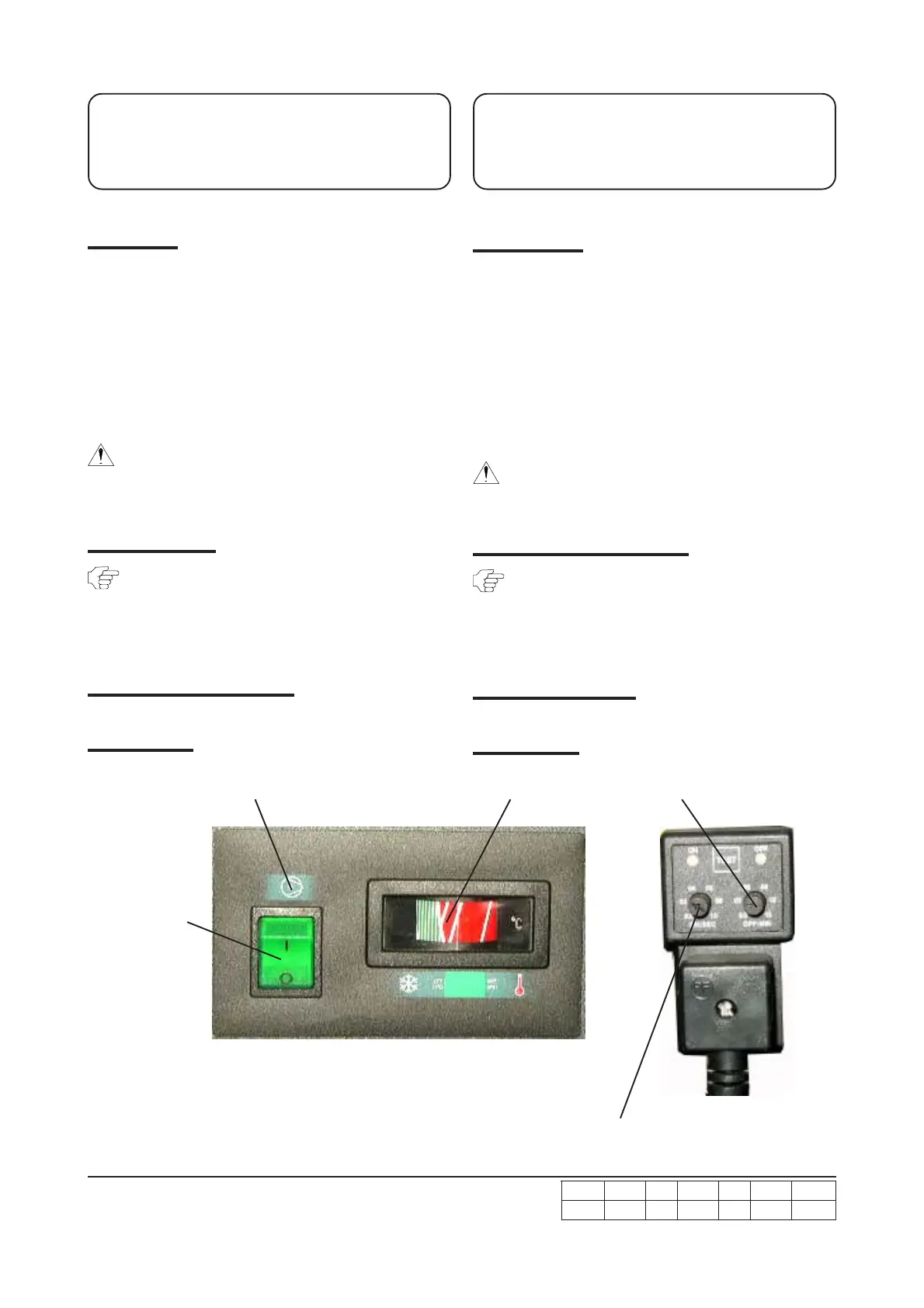
Typ 700 - 703
Kältemittelverdichter Ein
Refrigerant compressor On
EIN/AUS-Schalter
ON/OFF-switch
6. Initial start-up
Operation
(switching on, switching off,
controls)
6.3 Operation
• The dewpoint indicator are in the red area for
approximately 15 minutes after the dryer has been
switched on.
• Should be the dewpoint indicator in the red area at any
time after this during operation of the dryer, this indicates
a malfunction (see section 9. „Malfunctions“).
• The separation of condensate from the compressed-air
begins immediately after opening the compressed-air inlet
and outlet valves and closing the compressed-air bypass
valve.“
Please note the information provided in section
8. „Servicing, maintenance“.
6.4 Switching off the dryer
Set switch to position „0" (OFF).
• Dryer is switched off.
(Indicator light for „Refrigerant compressor ON“ is
switched off).
6.5 Controls (Panel)
Typ 700 - 703
Taupunktanzeige Pausenzeit
Dewpoint indicator Break time
Impulszeit
Impuls time


 To Next Page
 Loading...