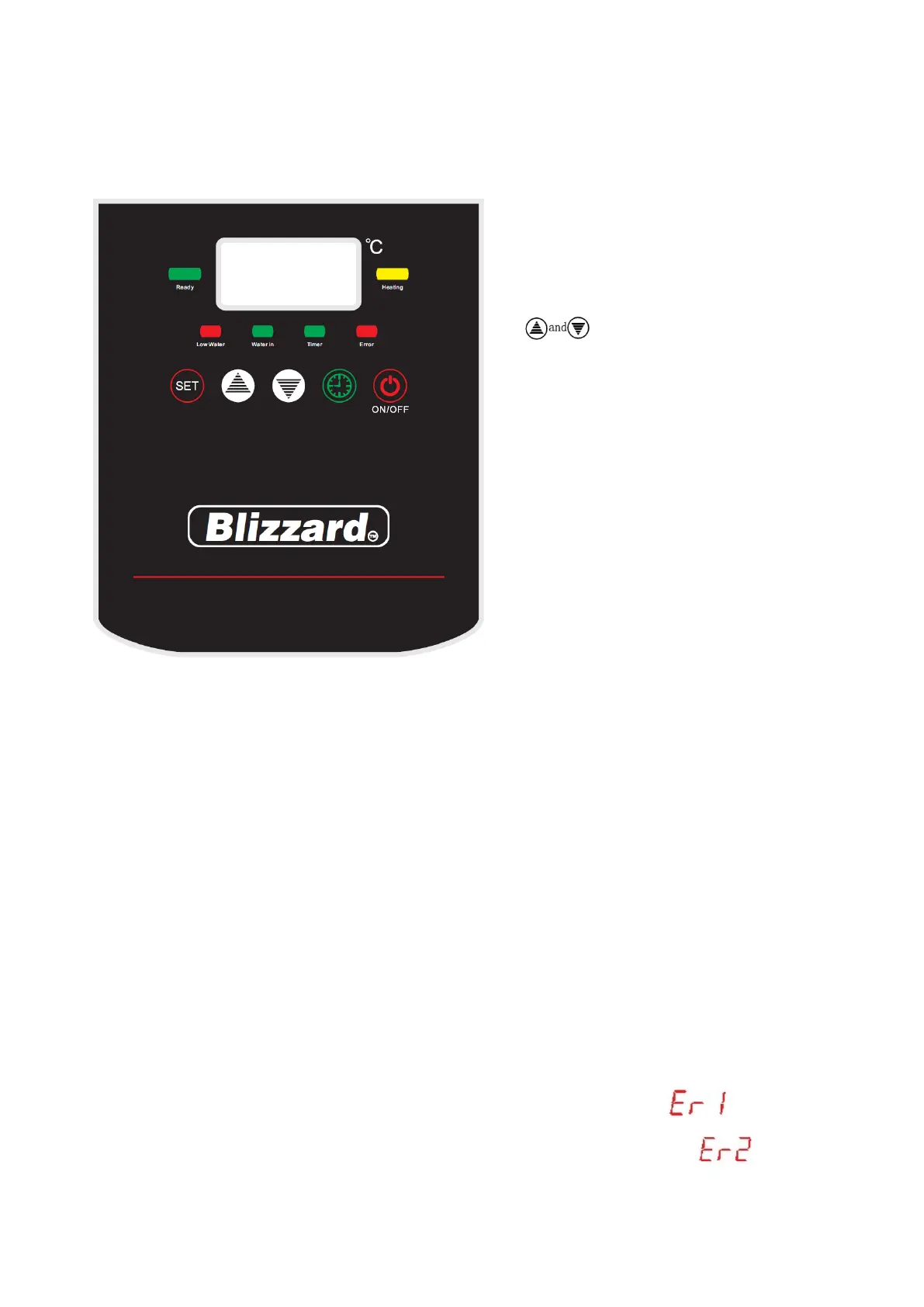
1. Power switch (button)--to electrify
the circuit board and display the
“ELL” and temperature.
2. Timing switch (button)--for using
the timing function (programmable
when in the standby/off mode).
3. Set (button)--for setting the
parameters.
4. (button)—to plus or
minus the parameters.
5. Yellow light on—it means the
machine is working and the heating
elements start heating or reheating.
When the light off, the heating
elements stop.
6. Red light on—it means the
chamber is lack of water and the
machine automatically starts filling
water in. when the light off, the
water stop filling.
7. Green light on—it means the
magnetic value start to fill in the
chamber. When the light off, the
magnetic value stop working, also
the water stop filling in.
8. Timing function--green light on, now you can set up your needed time. When the
green light off, the setting operation finish, and the memory of the setting remains.
9. Error—when the red light on, it means there is something failure in the machine, and
the letter “Er” would be displayed on the display board. Please stop using the machine
and check what the failure is according to the error code.
10. Drinkable—when the green light on, it means the water have reached the preset
temperature and available to drink, when the green light off, the water is undrinkable.
11. The button of power supply and timer should be pressed for two seconds to make it
work.
Attention:
1. When the water boiler isn’t heating, the display board would show the current
temperature; “ELL” would be displayed when it is the first time filling water in or
it is lack of water.
2. Inflowing failure (the water fill in more than 45 minutes) display
3. Heating failure (heating over 35min but still less than 60℃) display


 To Next Page
 Loading...