FOR CD PLAYER
C 250
CD STANDBY
RADIO STANDBY
AMP STANDBY
SPK A/B SPK A+B
IR100
INFO
MEMORY
P-M ODE
F-SCAN
STEREO
MONO
AM
PR+
PR-
FM
INFO
R100
AUT O+
AUT O-
(FUNCT ION) (INPUT )
1
2
3
4
5
6
FOR INTERNET
RADIO IR 100
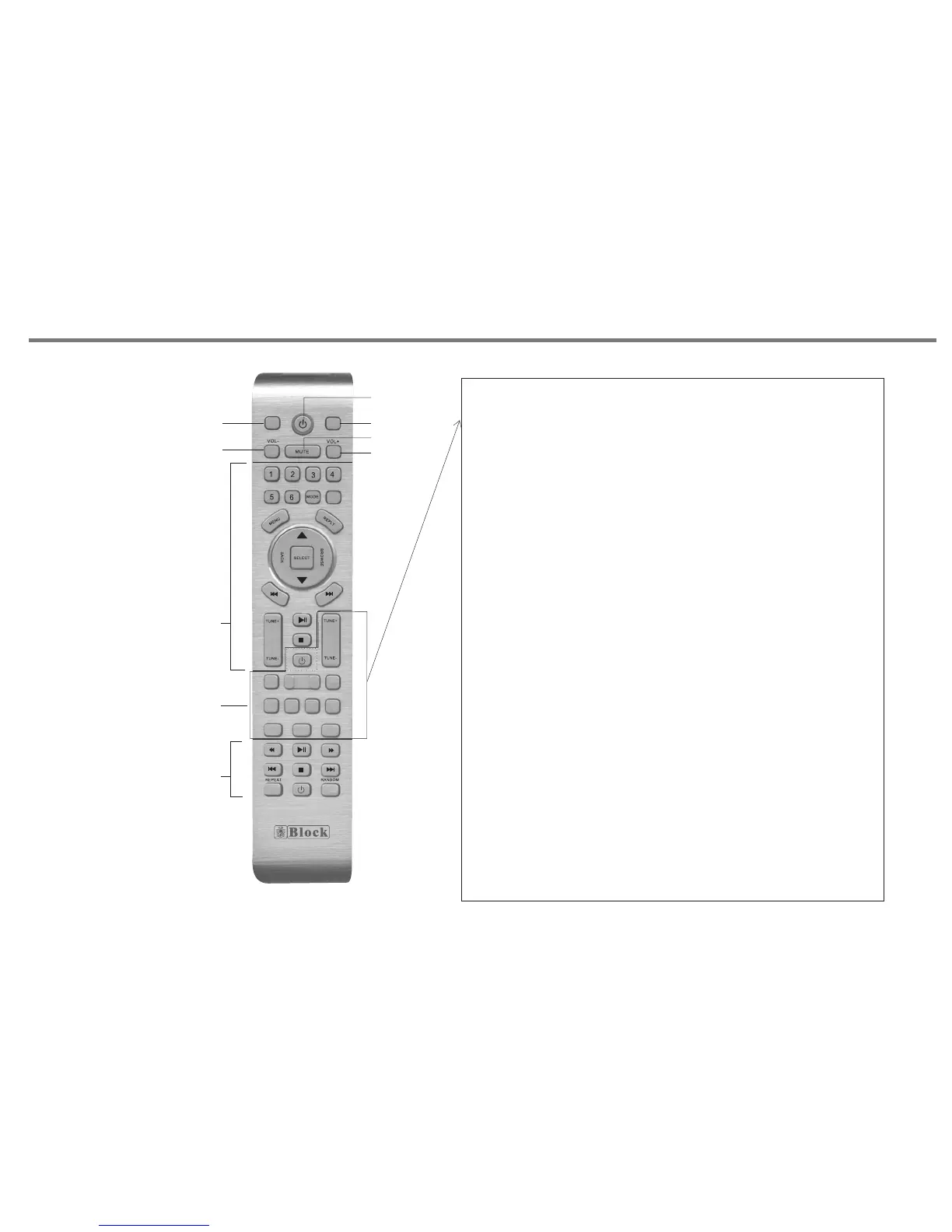
REMOTE CONTROL
1.FUNCTION BUTTON.
Allows access to menu features such
as bass, treble, balance, reset.
Use vol+/- button to adjust the level.
2. VOLUME-.
3. STANDBY.
4. INPUT SELECT.
5. MUTE.
6. VOLUME+.
MEMORY: Manual save the station to preset number.
a. Use PR+/- key to select the preset number.
b. Press TUN+/- key to select the station.
c. Press MEMORY key to save the station to current preset number.
** The Max preset number is 10.
STANDBY:
Press this button to turn the unit into standby mode, press
again to turn on the unit.
TUN+/-:
Manual adjust the frequency by step 0.05MHz for FM mode.
Select the DAB station up/down in the station list.
DAB/FM:
Band change. (DAB/FM)
INFO:
Press this button to see information of DAB or FM RDS.
STEREO:
For the model VR100+, press stereo key to active stereo (auto)
mode, press again to mono mode.
F-SCAN:
Press and hold for 2 seconds to active auto full scan function
for DAB mode.
PR+/-:
Select preset station number up or down.
AUTO+/-:
Press to auto search next/previous station for FM mode.
P17
DAB
FOR RADIO
R 250


 To Next Page