29 / EN
Fully Automatic Coffee Machine / User Manual
2
1
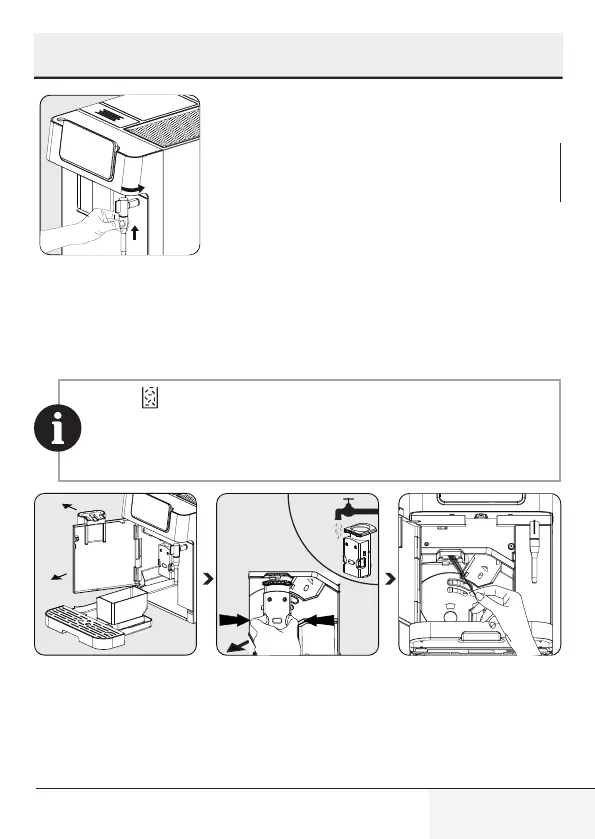
Attach the metal tube back to
the nozzle cover. Then push it
upward to put the nozzle cover
back in its place and turn it to
the right to lock it.
When lights up, the coffee residual container needs to be
emptied. This icon will light up after every 10 coffee brews. Clean
the container to fix the error. If the container is clean, remove the
container and put it back in its place.
Hold the adjustable coffee
spout and pull back slowly to
open the front cover.
Remove the brewing unit.
Wash with water and dry af-
terwards.
Clean the coffee outlet line
with brush.
6 Cleaning



 To Next Page