EN
16
5 Using your refrigerator
Setting the operating
temperature
The operating temperature is regulated
by the temperature control.
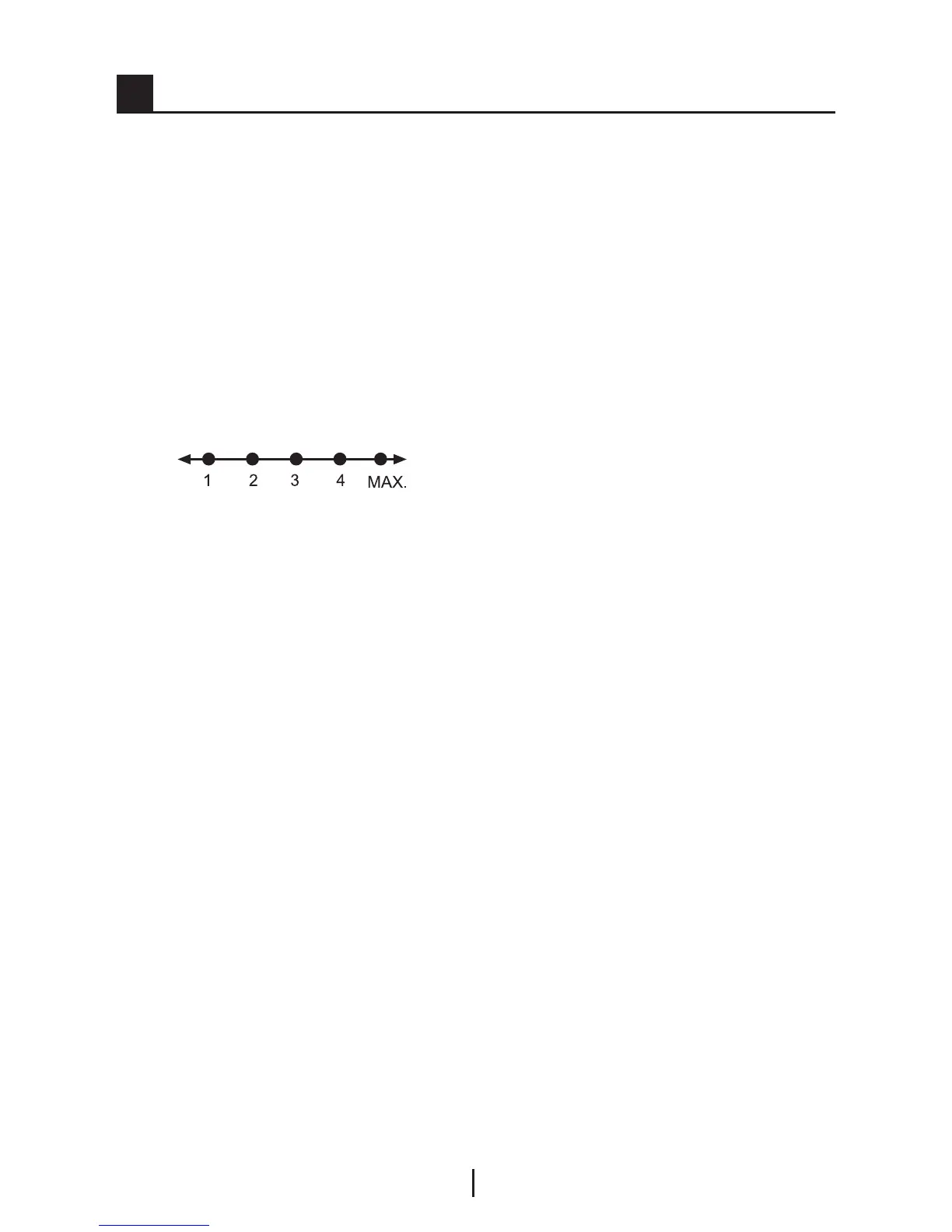
1 = Lowest cooling setting (Warmest
setting)
MAX. = Highest cooling setting
(Coldest setting)
Warm
Cold
Please choose the setting according
to the desired temperature.
The interior temperature also depends
on ambient temperature, the frequency
with which the door is opened and the
amount of foods kept inside.
Frequently opening the door causes
the interior temperature to rise.
For this reason, it is recommended
to close the door again as soon as
possible after use.
The normal storage temperature of
your appliance should be -18 °C (0 °F).
If the thermostat knob is turned counter
clockwise from position 1, the appliance
will be switched off and “click” sound
will be heard. Lower temperatures can
be obtained by adjusting the thermostat
knob towards Position 4.
We recommend checking the
temperature with a thermometer to
ensure that the storage compartments
are kept to the desired temperature.
Remember to take the reading
immediately since the thermometer
temperature will rise very rapidly after
you remove it from the freezer.



 To Next Page