22
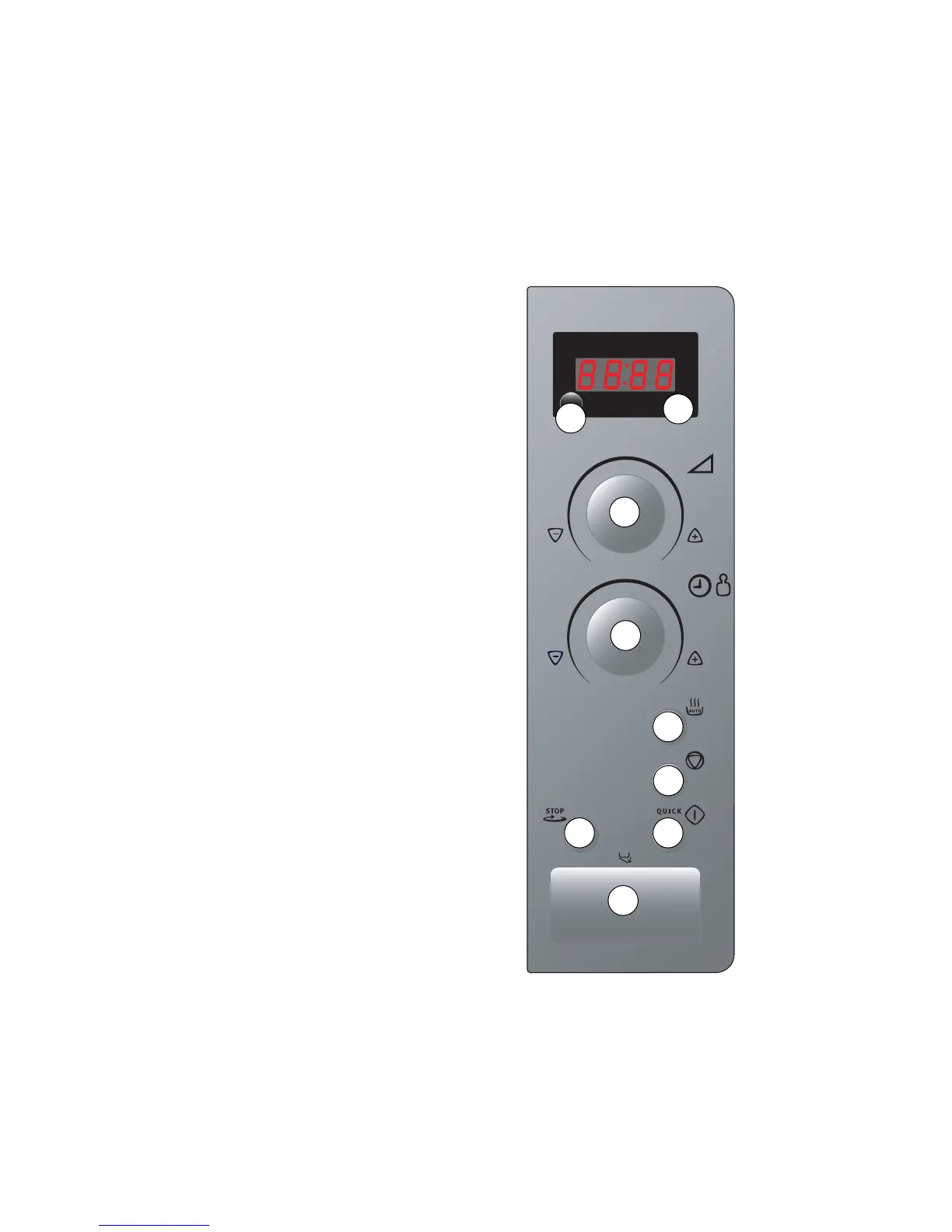
A Display for time of day, cooking time, func-
tion mode, power etc.
B Multi-function button to set the time of
day and display the selected microwave
power etc.
C Power knob to select microwave power
D Rotary knob toselect the cookingf time or
the weight when using automatic pro-
grammes.
E Button for automatic programmes for
defrosting and cooking.
F CLEAR button to cancel settings.
G START button to start the selected func-
tion and to switch on QUICK-START.
H Button fot switching the turntable off.
I Button for opening door.
CONTROL PANEL
E
F
GH
I
D
C
A
B



 To Next Page