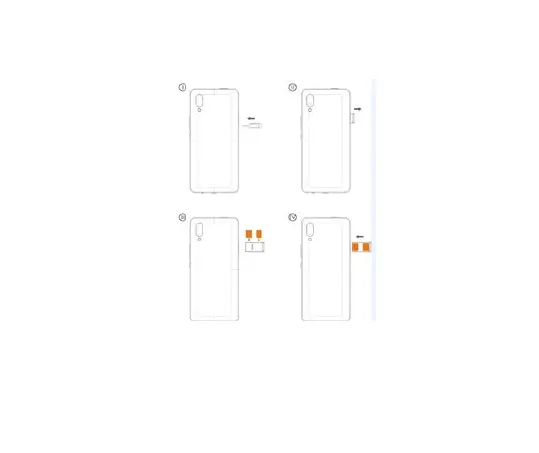
Insert the SIM card correctly in the card slot(s) (See figure below), suggest switch off the phone
when you insert SIM card.
2 Insert Memory card
Insert the Micro SD card into the slot with the correct direction (See figure below), suggest switch
off the phone when you insert SIM card.
Note: Use only compatible memory cards with this device. Incompatible memory cards may
damage the card or the device and corrupt the data stored in the card.
7



 To Next Page