22
Gmail
Gmail is Google’s free email service. To access the Gmail program, click the applications menu and click on
the Gmail icon and either sign in with your existing account or create a new one.
Note: In order to keep accounts streamlined with Google services, your Gmail account user name and
password will be used for some Google programs which include: Google Play Store, Google Drive, Google
+, Google Photos, and Google Wallet.
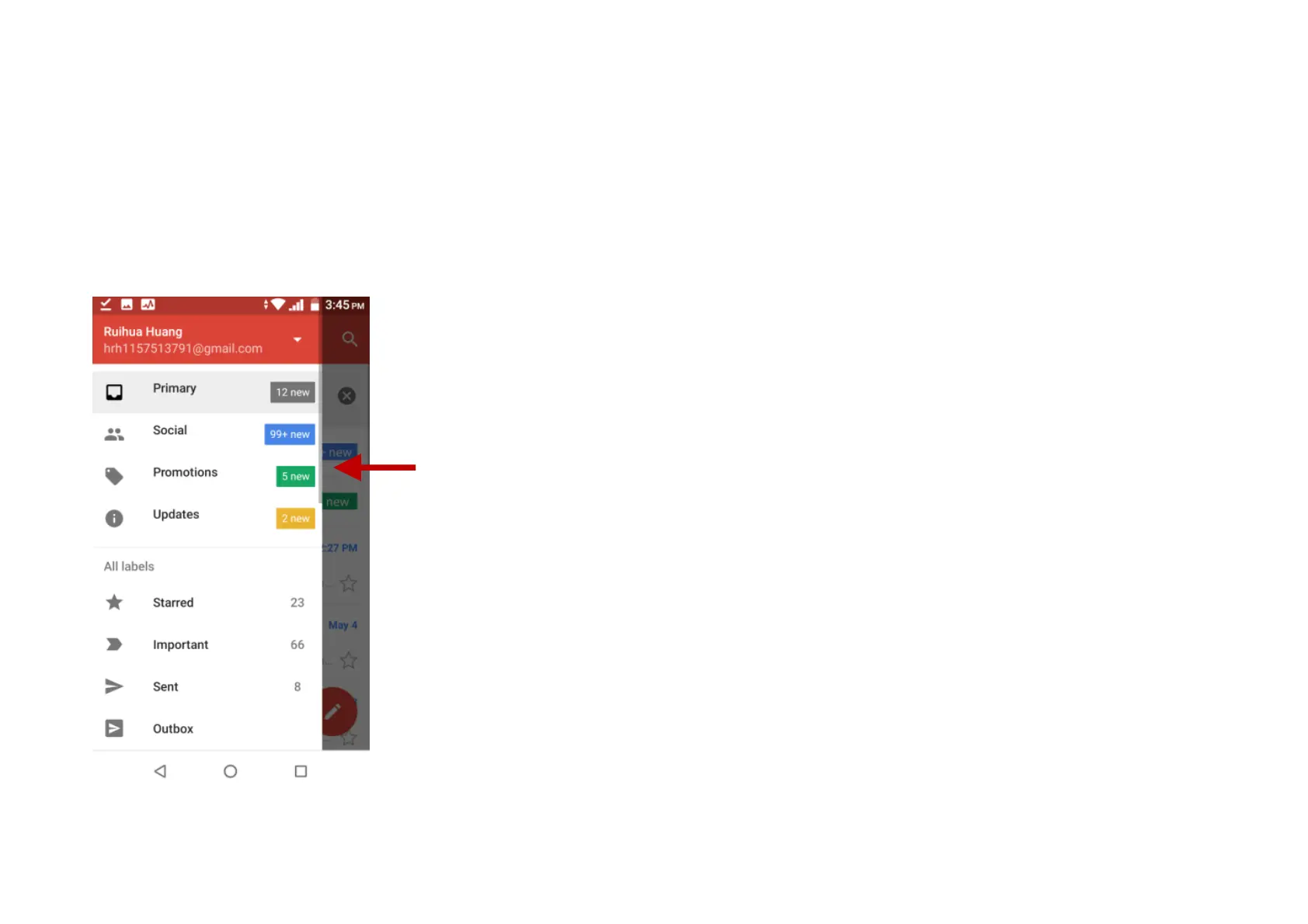
The Gmail inbox is separated by default in three
different categories.
These categories include primary inbox, social
inbox where all your Facebook, Twitter, and
social media emails are separated to and your
Promotions inbox where all your commercial
emails are separated.
You may add or delete other categories in Gmail
settings


 To Next Page