9
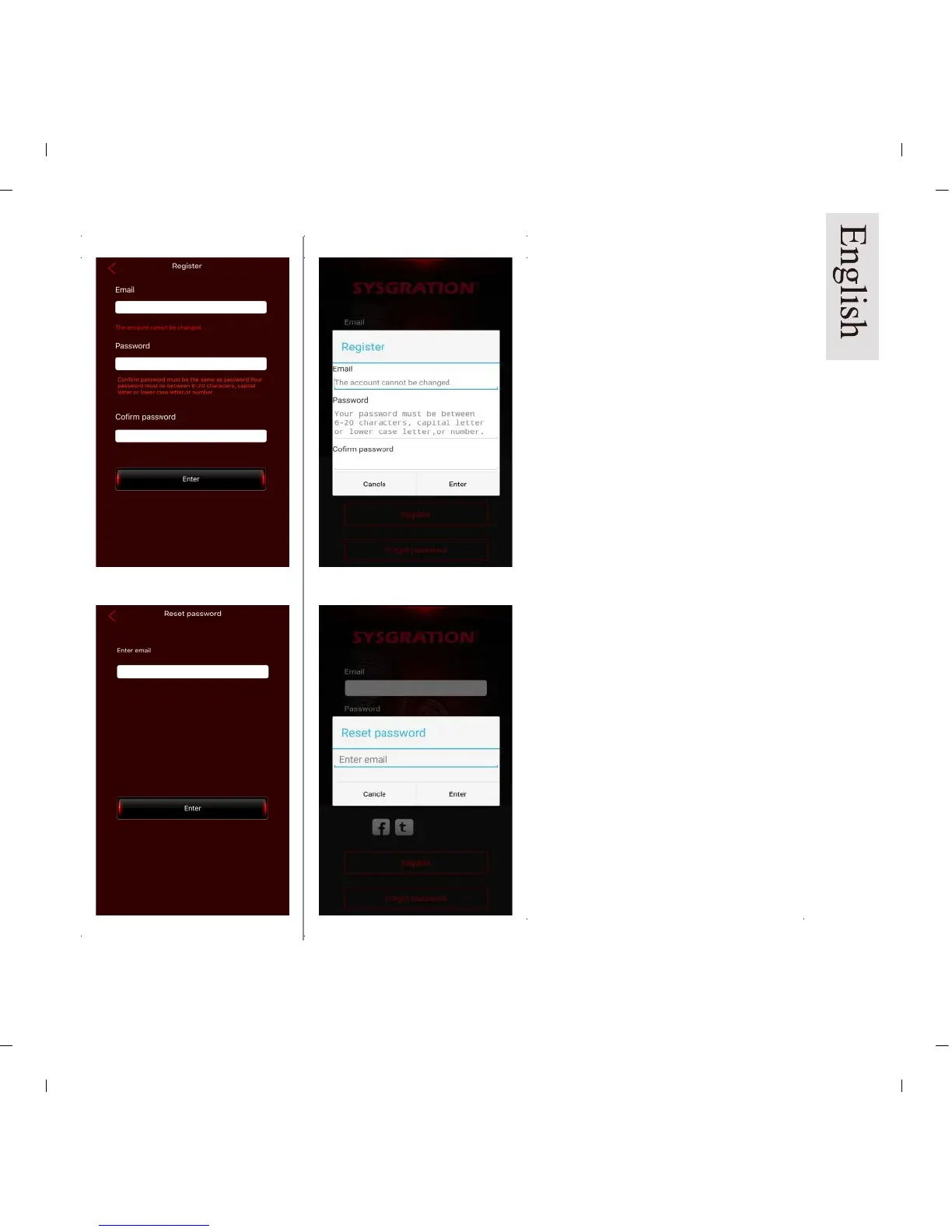
To Register:
Be sure the device is connected to
the internet.
Enter desired email account.
Enter password. Password must be
between 6 and 20 characters,
capital, lower case and numbers.
Once submitted, you will receive an
email to your account with an
activation link. Click the link in the
email to activate the account.
Forgot / Reset password:
To reset your password, please
enter your registered email
address. (Pic 6a/b)
An email will be sent to that email
address.
Enter your password within 1 hour.
Note: If Voice Dongle and TPMS
Sensor have been paired, and
changes are made in the “System
Settings” or “Exchange” tabs
please change the settings in
“Dongle” to match.
iOS version
Android version
Pic 5a
Pic 6a
Pic 5b
Pic 6b


 To Next Page