19
iOS version
Android version
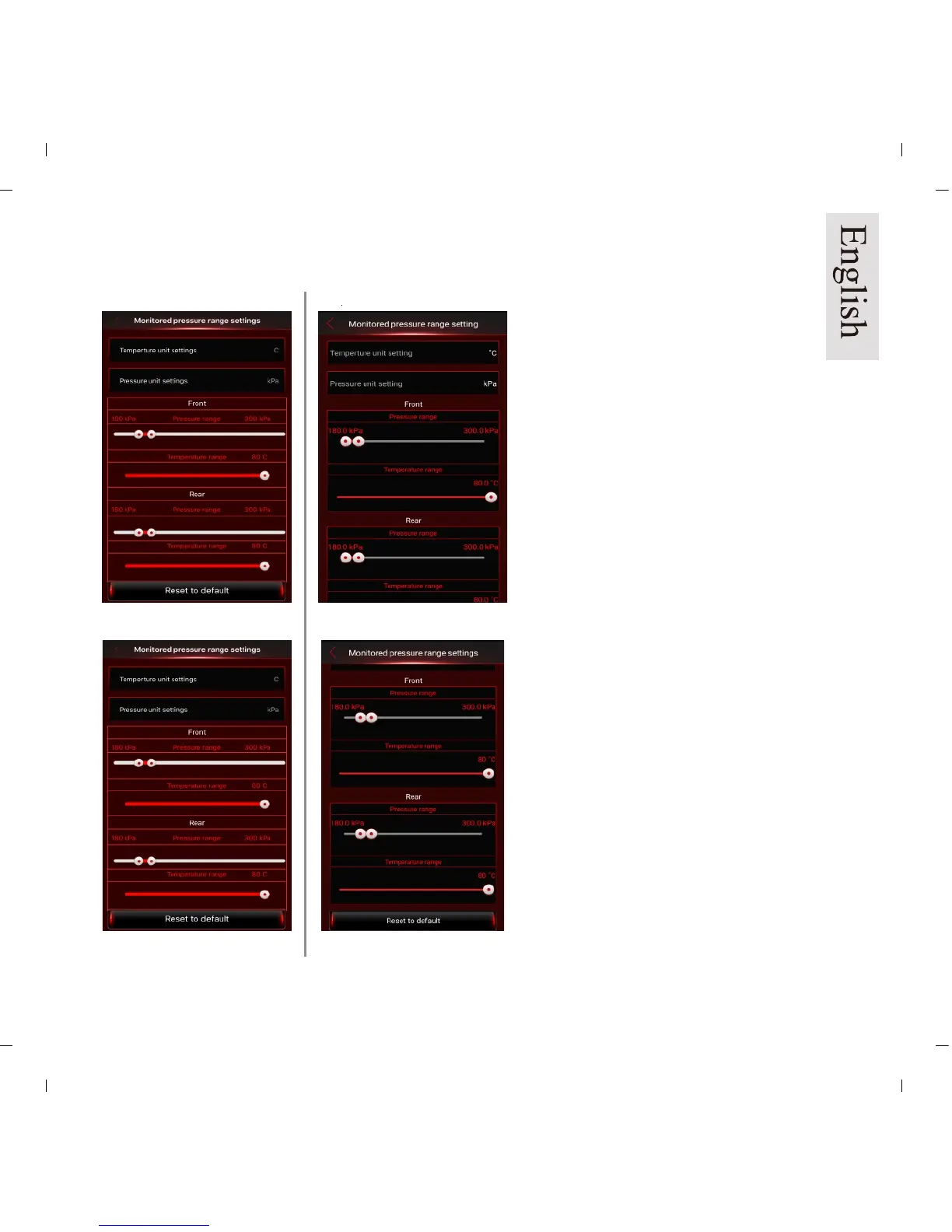
Pic 23a
Pic 24b
Pic 23b
Pic 24b
Monitored Pressure Range Setting:
Select Monitored Pressure Range
Settings (Pic 23a/b) ,
1. Change settings on “front wheel”
and “rear wheel” then press the
“Back” button to save the settings.
You can press “Reset to default”
(Pic 24a/b) to reset all settings.
NOTE: For the standard tire
pressure value, please refer to the
placard located at the side of the
driver’s seat.
Default Value:
Maximum tire pressure:
psi= 43; kPa= 300; Bar= 3.0
Minimum Tire pressure:
psi= 26; kPa i=180; Bar= 1.8
Maximum Temperature:
℃= 80; ℉= 176
9.2 Monitored Pressure Range Settings


 To Next Page