21
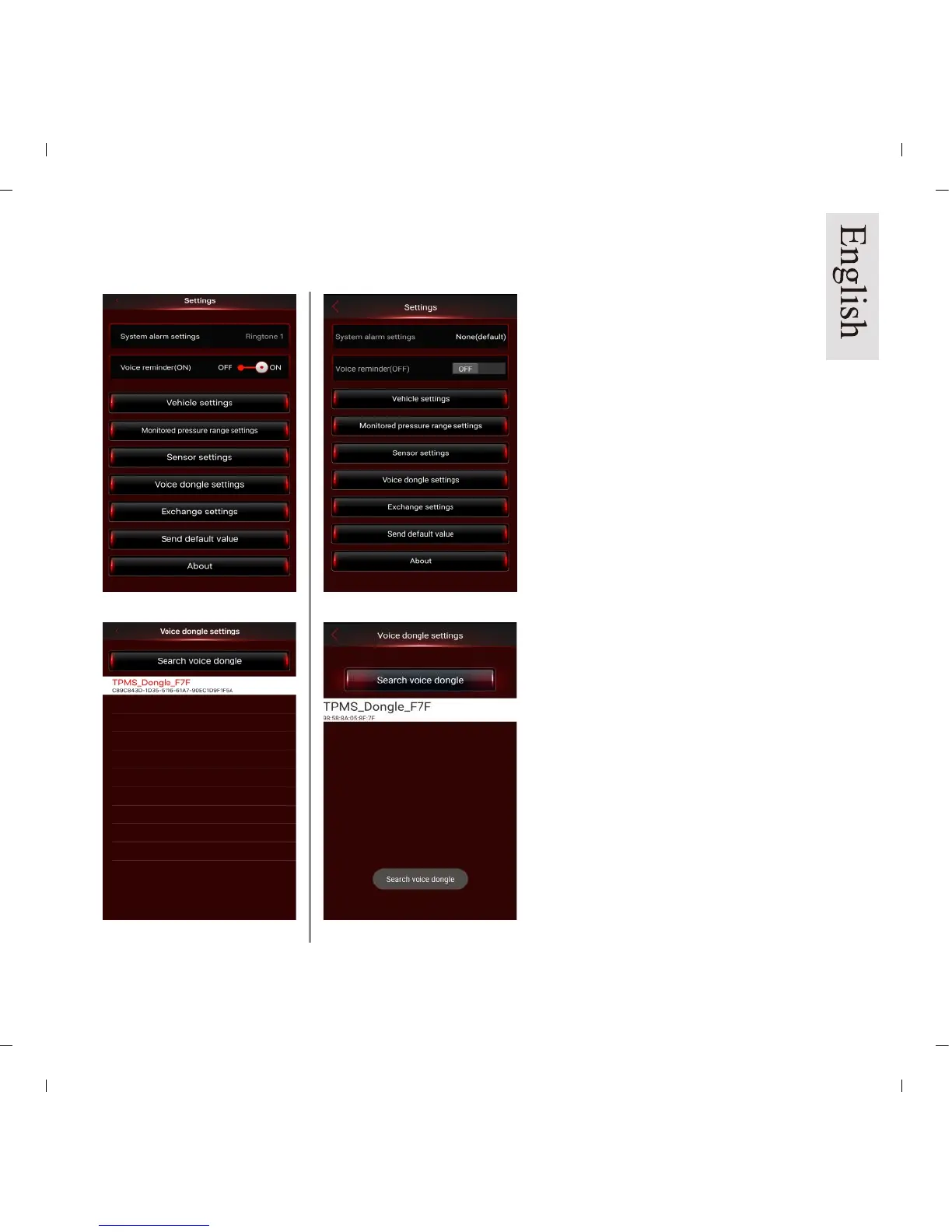
iOS version Android version
Pic 27a Pic 27b
Pic 28a Pic 28b
Voice Dongle Set Up:
NOTE: Recommended for 5V/2A
car USB power adapter.
NOTE: If kit is purchased with the
dongle it will already be paired to
the sensors.
1. To pair dongle to sensors, press
the red voice dongle button for 1.5
seconds. When you hear “beep,”
unit is in the Bluetooth pairing
mode (LED flashes Red and Blue
light ).
2. Enter “Voice dongle settings”
function. (Pic 27a/b)
Click “TPMS_Dongle_sn” (random
serial number)
(Pic 28a/b).
9.3 Optional Voice Dongle Settings


 To Next Page