23
iOS version Android version
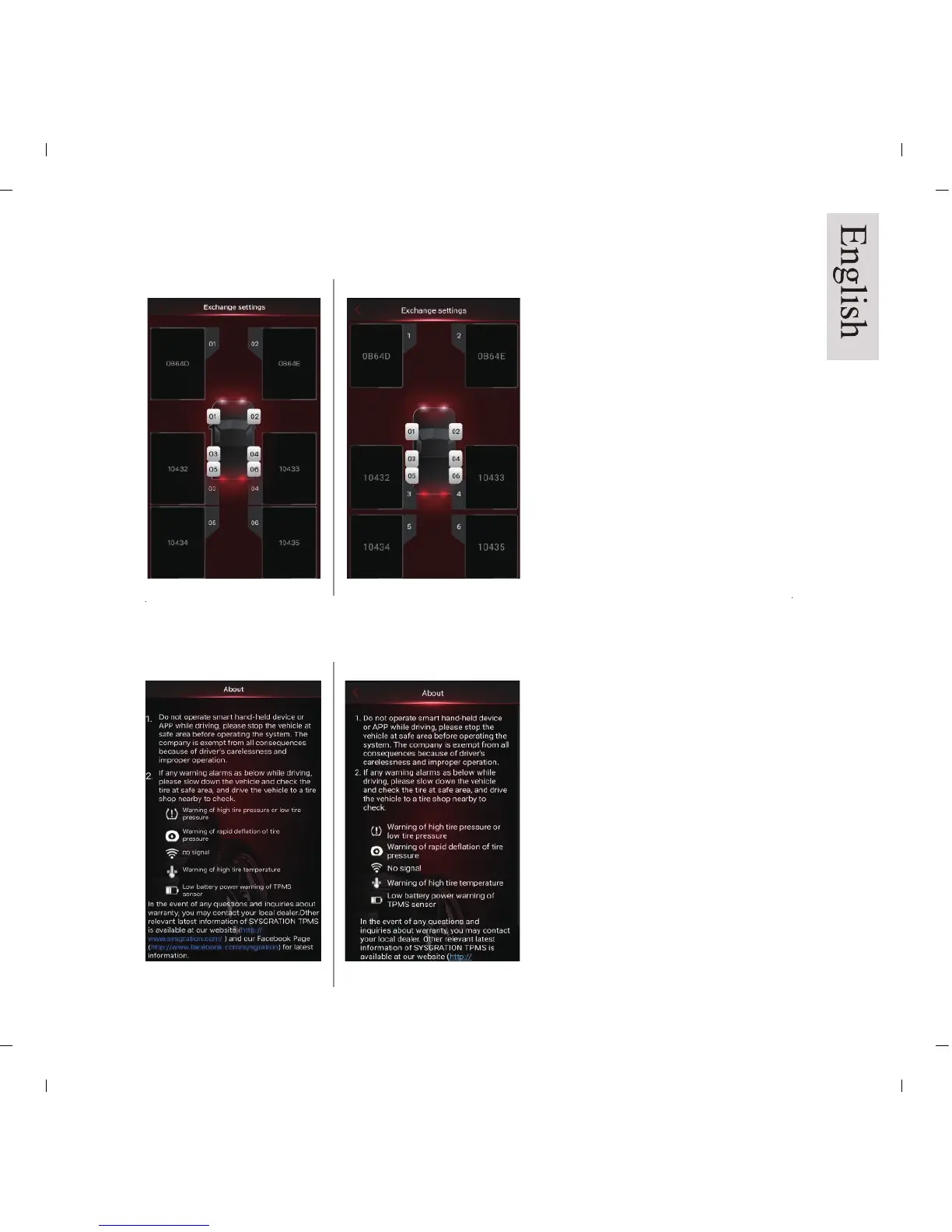
Pic 30a Pic 30b
Drag the dialogue display of the tire
to the desired location for all
desired exchanged tires, then press
the “Back” button to save the
settings. It will display the new tire
positions in sequence.
iOS version
Android version
Pic 31a Pic 31b
About: (Pic 31a/b)
“Product Information” is displayed.
It describes the definition of
“Warning Symbol” and shows the
link to the Company Website &
Facebook.
9.4 Exchange Settings
9.5 About


 To Next Page