15
Reject a Call by Sending a Busy Message
While there is an incoming call, you are inconvenient to accept the call, and then you can
send a busy message for rejecting the call. Tap the message icon, some busy messages will
show on the screen, short tap any of them to send out.
Add a Contact
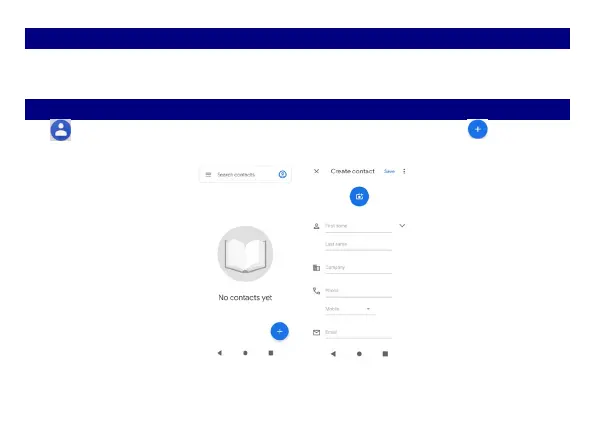
Tap and enter Contacts and then add a contact (see figure below). Tap to add a new
contact to Phone.



 To Next Page