15
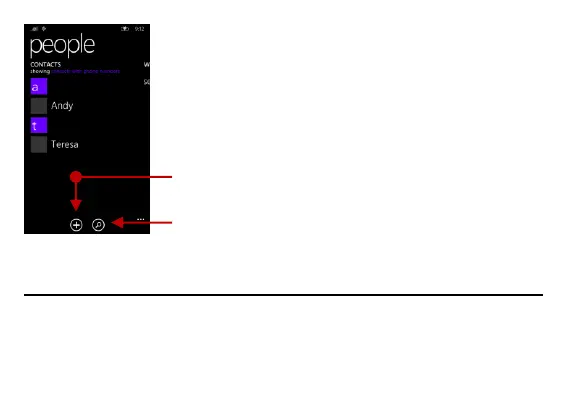
Click the Search icon to enter the contact search interface.
Any numbers or letters associated with any of the contacts saved in the list will be shown in the
search results.
Add New Contact
- Click the add contact icon (+) to add contact.
- You may enter different contact details which include adding a picture, name, telephone number, group,
address, and email among other options.


 To Next Page