EasyManua.ls Logo

Blueair Classic 600 Series - User Manual

Blueair Classic 600 Series
9 pages
Print Icon
To Next Page IconTo Next Page
Loading...
Blueair Classic
User Manual - 500/600 series
Question and Answer IconNeed help?

Do you have a question about the Blueair Classic 600 Series and is the answer not in the manual?

Summary

General Information

Product Overview and Control

Overview of Blueair 500/600 series models and their manual/app control options.

Safety and Compliance

Warnings, Cautions, and Usage

Guidance on safety warnings, cautions, intended use, and FCC compliance information.

Unit Placement and Setup

Placement and Getting Started

Instructions for unit placement and connecting to the Blueair Friend mobile app.

Control Panel Features

Buttons and Indicators

Description of control panel touch buttons and their associated status indicators.

Model-Specific Controls and Filters

680 i Controls and Filter Information

Details on 680i controls, filter types, and filter checklist information.

Mobile App Functionality

App Settings and Features

Overview of settings and features available through the Blueair Friend mobile app.

Maintenance Procedures

Filter Replacement and Care

Step-by-step guide for changing filters, routine cleaning, and warranty information.

Technical Specifications

680 i;605 and 505 Models

Detailed technical specifications for 680i/605 and 505 models, including performance and features.

Overview

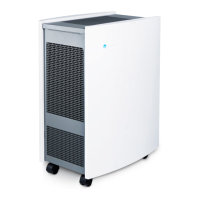
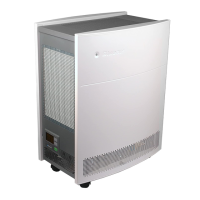
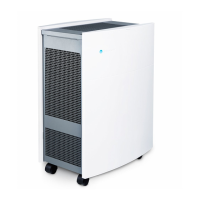
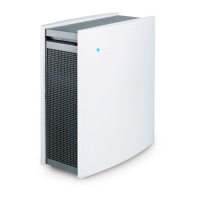
The Blueair Classic 500/600 series air purifiers are designed to enhance indoor air quality by effectively removing various airborne pollutants. These units are Wi-Fi enabled, allowing for convenient remote control and monitoring through the Blueair Friend™ mobile app. The series includes two main models: the 680i, which features built-in sensors for PM2.5, VOC, temperature, and humidity, and the 605/505 models, which do not have built-in sensors but can be used with an optional external air quality monitor, the Blueair Aware™.

Function Description

The primary function of the Blueair Classic air purifier is to filter and clean the air in a given space. It operates by drawing in air through its inlets, passing it through a multi-stage filtration system, and then releasing clean air back into the room through its outlets. The filtration system utilizes HEPASilent™ filters, which are designed to capture a wide range of airborne particles and gaseous pollutants.

For the 680i models, the built-in sensors continuously monitor the air quality, including levels of PM2.5 (fine particulate matter), VOCs (volatile organic compounds), temperature, and humidity. This data allows the unit to operate in an "Automode," where it automatically adjusts its fan speed based on the detected air quality to maintain optimal purification. The 605/505 models, while lacking built-in sensors, can achieve similar automatic operation when paired with the Blueair Aware™ external air quality monitor.

The air purifiers are equipped with a control panel, typically located under a flip-up lid, which provides touch buttons for manual control. A blue LED on the unit indicates its operational status. The units are designed for continuous operation and are suitable for various indoor environments, including homes and offices.

Usage Features

The Blueair Classic 500/600 series offers flexible control options to suit user preferences.

  • Manual Control: Users can manually adjust the fan (airflow) speed directly from the control panel using touch buttons. Typically, there are three speed settings (Speed 1, Speed 2, Speed 3) ranging from minimum to maximum airflow. The maximum speed is recommended for rapid initial cleaning or when the air is heavily polluted, while the minimum speed is ideal for nighttime use to ensure quiet operation.
  • Remote Control via Blueair Friend™ Mobile App: The Wi-Fi connectivity allows users to control and monitor their air purifier remotely through the Blueair Friend™ mobile app. This app provides comprehensive control over various settings, including:
    • Adjusting Airflow Speed: Users can change the fan speed (1, 2, or 3) from their mobile device.
    • Adjusting LED Intensity: The intensity of the visible LED lamps on the unit can be adjusted.
    • Child Lock: This feature allows users to regulate control panel access, preventing unintended changes by children.
    • Auto Mode: This intelligent mode enables the air purifier to automatically adjust its fan speed based on air quality readings. For "i" models, this is based on built-in sensors. For 605/505 models, it relies on readings from the external Blueair Aware™ monitor.
    • Night Mode: Users can activate/deactivate specific settings at predetermined times, optimizing the unit's operation for nighttime.
  • Filter Replacement Indicator: The unit includes a filter replacement indicator, which typically illuminates orange when it's time to change the filters. This ensures that the unit continues to operate efficiently with clean filters.
  • Placement Guidelines: For optimal performance and safety, specific placement guidelines are provided. The unit should be placed in a location where air can circulate freely, away from heat sources, radiators, fireplaces, ovens, and direct sunlight. It should also be placed at least 4 inches (10 cm) from other objects and not directly on soft furnishings like bedding or linen. The unit is intended for indoor use only.

Maintenance Features

Regular maintenance is crucial for ensuring the longevity and optimal performance of the Blueair Classic air purifier.

  • Filter Replacement: The most critical maintenance task is changing the filters. The unit is delivered with three HEPASilent™ filters already installed. The filter replacement indicator (orange status light) signals when a change is needed. The process involves:
    1. Turning off and disconnecting the unit from the power supply.
    2. Removing the lid.
    3. Removing the top filter.
    4. Removing both side filters.
    5. Inserting new Blueair filters into the side slots, ensuring the words "OUT/UP" face outwards.
    6. Inserting the third new filter into the top of the unit, again ensuring "OUT/UP" faces upwards.
    7. Snapping the lid back into place and plugging the unit into the mains.
    8. Resetting the filter indicator by pressing down on the control panel button for 5 seconds. It is emphasized that only genuine Blueair filters should be used to ensure proper function and maintain warranty coverage.
  • Routine Cleaning: Routine cleaning helps keep the unit in top condition.
    1. Wipe the underside of the lid with a clean cloth after removal.
    2. Vacuum the air inlet grille from the inside using a soft brush or suitable attachment.
    3. Vacuum the small air inlets with a soft brush attachment.
    4. Wipe the exterior of the unit with a soft, clean, damp cloth. It is important to avoid using gasoline, chemical solvents, or corrosive materials for cleaning, as these can damage the surface. Foreign objects should not be allowed to enter the ventilation or exhaust openings to prevent electric shock or unit damage.
  • Troubleshooting and Support: Users are advised not to attempt to repair or adjust electrical or mechanical functions themselves. For any questions or issues, users should contact their local Blueair dealer or Blueair support for warranty information and assistance. The user manual also provides contact details for Blueair in various regions.

Blueair Classic 600 Series Specifications

General IconGeneral
Product TypeAir Cleaner
ModelClassic 600 Series
Air Changes per Hour (ACH)5
Filter TechnologyHEPASilent
Fan Speed3
Warranty1 year
Room Size/Coverage Area775 sq. ft.

Related product manuals