
 Need help?
Do you have a question about the Blueair Pro L and is the answer not in the manual?
Explains why keeping windows closed enhances air purifier efficiency.
Recommends closing doors to optimize air purifier performance in a specific room.
Advises continuous operation for best results and low power consumption.
Details essential safety precautions for operating the Blueair Pro Series air purifier.
Provides instructions on optimal placement for air circulation and safety, including distances.
Explains display functions and controls when the Air Intelligence Module is not installed.
Details display functions and air quality indicators with the Air Intelligence Module installed.
Describes Particle Filter, SmokeStop™ Filter, and Carbon+ Filter functionalities.
Section for recording product details like model, serial number, and purchase date.
Provides instructions for cleaning and maintaining the Air Intelligence Module.
 General
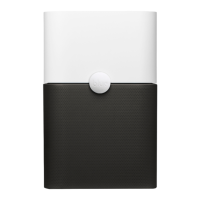
| Product Type | Air Cleaner |
|---|---|
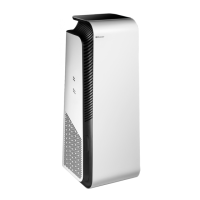
| Model | Pro L |
| Air Changes per Hour | 5 |
| Fan Speed | 3 |
| Coverage Area | 1, 200 sq ft |




 To Next Page