15
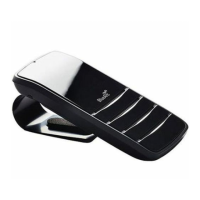
Call Waiting and Conferencing*
If you receive an incoming call while you are already on a call the Commute 2 will play a tone to alert you.
To Do This
End the active call and answer the incoming call
Tap the
symbol
Keep the active call, reject the incoming call
Double tap the
symbol
Put the active call on hold, answer the incoming call
Press the
symbol for about 1 second
Switch between the active and held call
Press the
symbol for about 1 second
Conference the active and held call
Press the
symbol for about 3 seconds
If you are using multipoint you can also use these controls to switch between calls on both phones.
Note: You can only conference together calls received on the same phone (although you can have conference
calls running on both phones at the same time).
* To use these features, your phone and network must support call waiting.



 To Next Page