ENGLISH
7
Charge Your Q2
Your Q2 has been given an initial partial charge to get you started, but for best results we
recommend you fully charge it using the supplied USB cable and adaptor.
> You should charge the Q2 whenever it announces that the battery is Very Low.
> A full charge takes about 3-4 hours.
> During charging, the indicator light fl ashes red.
> When the light goes white, the charge is complete.
Switching the Q2 On and Off
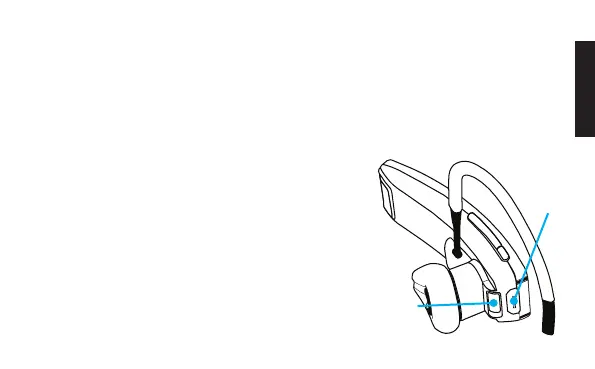
There is a hardware power switch next to the charging
port on the back of the Q2.
Slide the switch across to turn the Q2 on or off.
Charging
port
Hardware
power switch
(off position)



 To Next Page