3 Overview
5
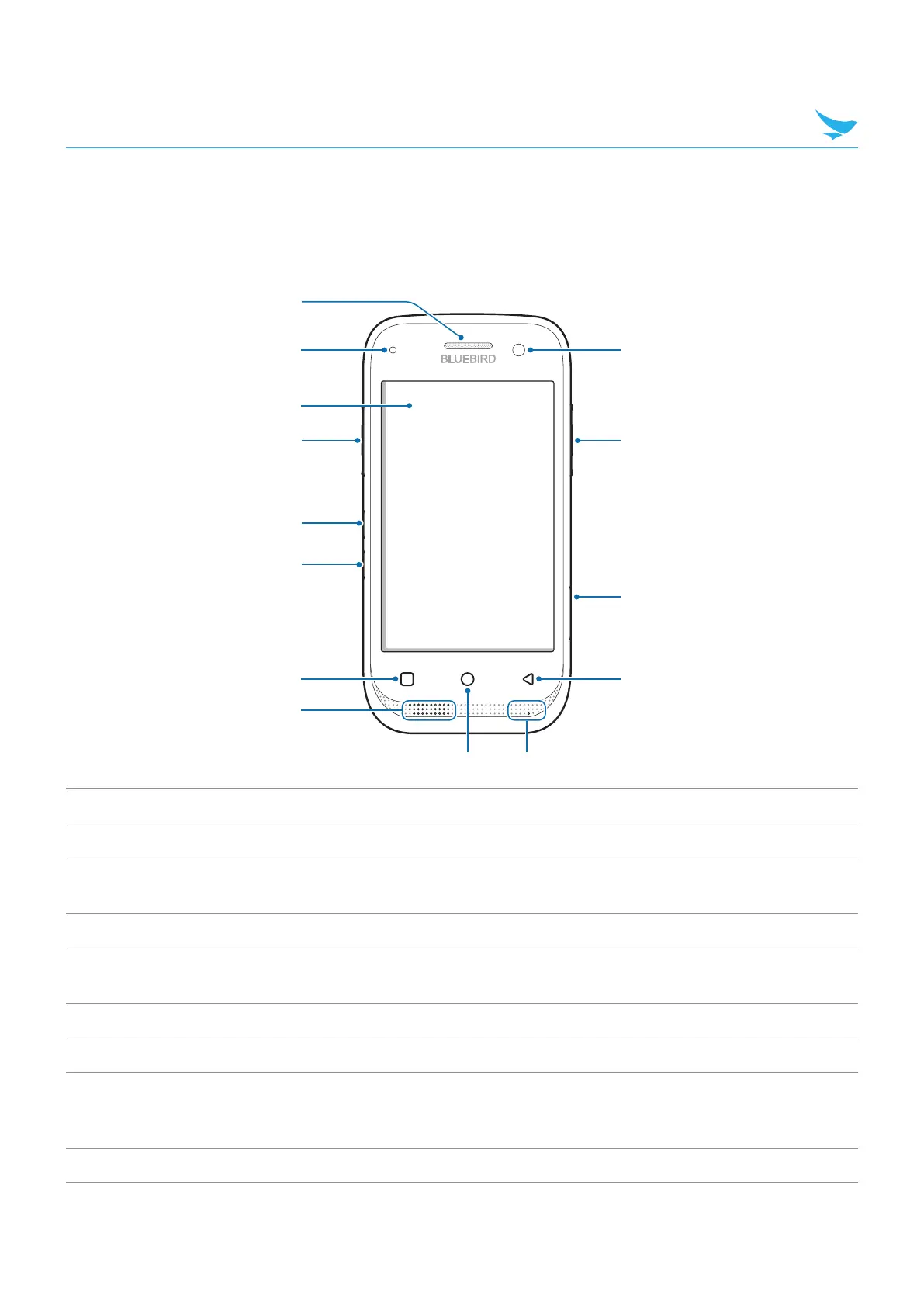
3.2 Your Device
3.2.1 Front
1
2
4
3
5
6
#
@
$
8
7
9 0
!
No. Name Description
1
Receiver Allows user to hear the person they are talking to while on the phone.
2
Charging LED
Indicates the status of the battery. The charging LED turns red when the
battery is charging and turns green when the battery is fully charged.
3
Touchscreen Displays apps and acts as a multi-touch interface.
4
Left button
Functions as the barcode scan button. You can also change the functions of
the Left button.
5
Volume up button Turns the volume up.
6
Volume down button Turns the volume down.
7
Menu button
Displays more option menus. If you tap and hold this button for a few
seconds, the apps you previously opened will be listed. Tap any app to open
it.
8
Speaker Emits sound.



 To Next Page