2. Insert / Remove the USIM card
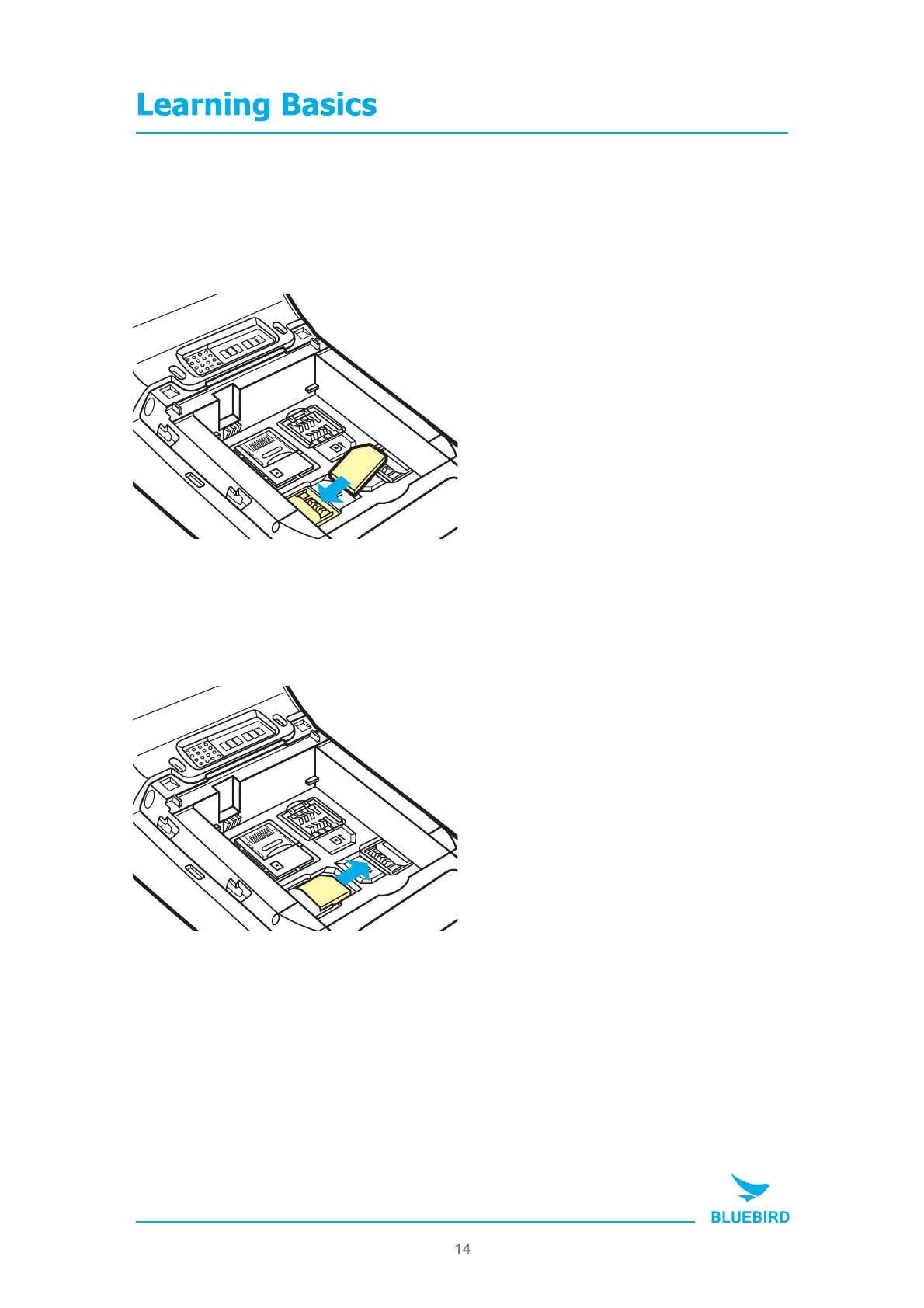
2-1. Insert the SAM card
Slide in the SAM card in the arrow
direction.
The devices supports 2 SAM slots.
MicroSD
SIM
2
SAM
1
SAM
MT280 MANUAL
2-2. Remove the SAM card
Push the top of the SAM card to slide it
out in the arrow direction.
*Use a piece of sticky tape to pull the SAM card
out of the holder more easily.
MicroSD
SIM
2
SAM
1
SAM


 To Next Page