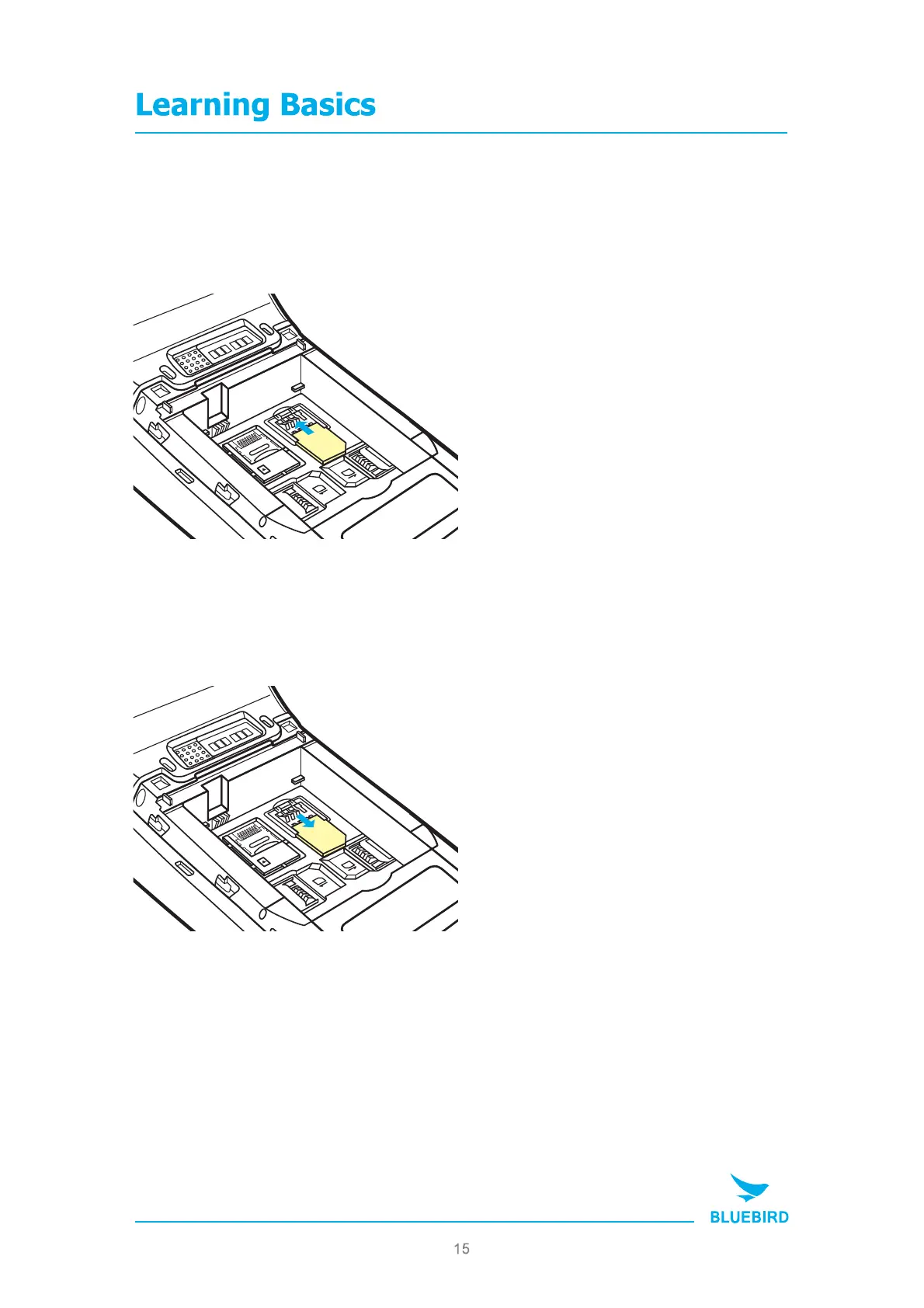
3. Insert / Remove the SAM card
MT280 MANUAL
Place the USIM card on the holder
then push down the holder.
3-1. Insert the USIM card
Push the top of the USIM card and
slide it out from the holder.
3-2. Remove the USIM card
MicroSD
2
SAM
1
SAM
SIM
MicroSD
2
SAM
1
SAM
SIM


 To Next Page