MT280 MANUAL
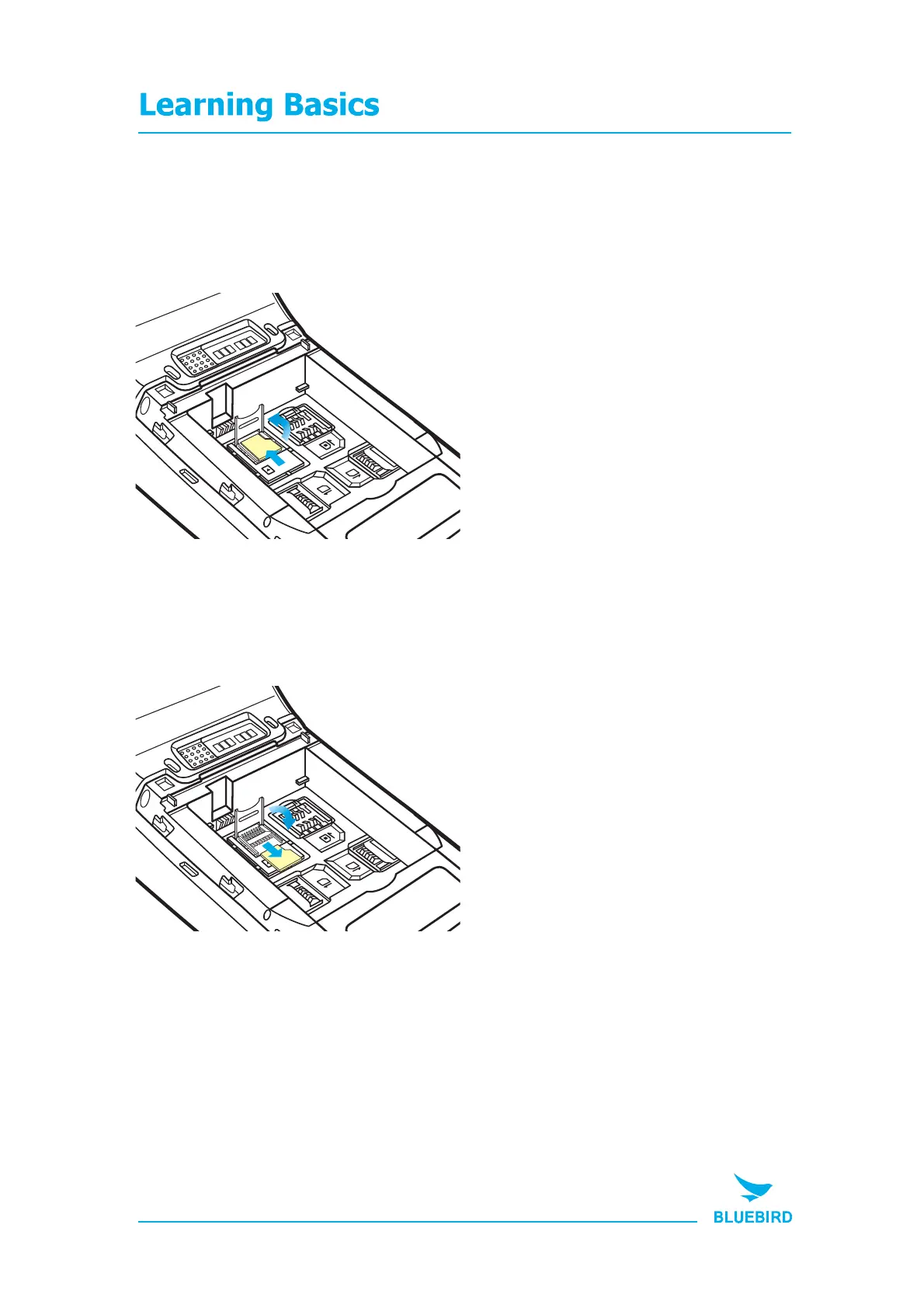
4. Insert / Remove the microSD card
4-1. Insert the microSD card
4-2. Remove the microSD card
2
Insert the microSD card
into the storage card holder
1 Open the storage card holder
by lifting up the ap.
2
Remove the microSD card
into the storage card holder
1 Open the storage card holder
by lifting up the ap.
16
SIM
2
SAM
1
SAM
MicroSD
SIM
2
SAM
1
SAM
MicroSD


 To Next Page