2.2 Website
2.2.1 Connect to website
Enter the IP of DDS and add 8080. We advise you use Google Chrome as your browser.
For example: http://192.168.0.100:8080
Default account is admin, default password is on default value of manufacturing list.
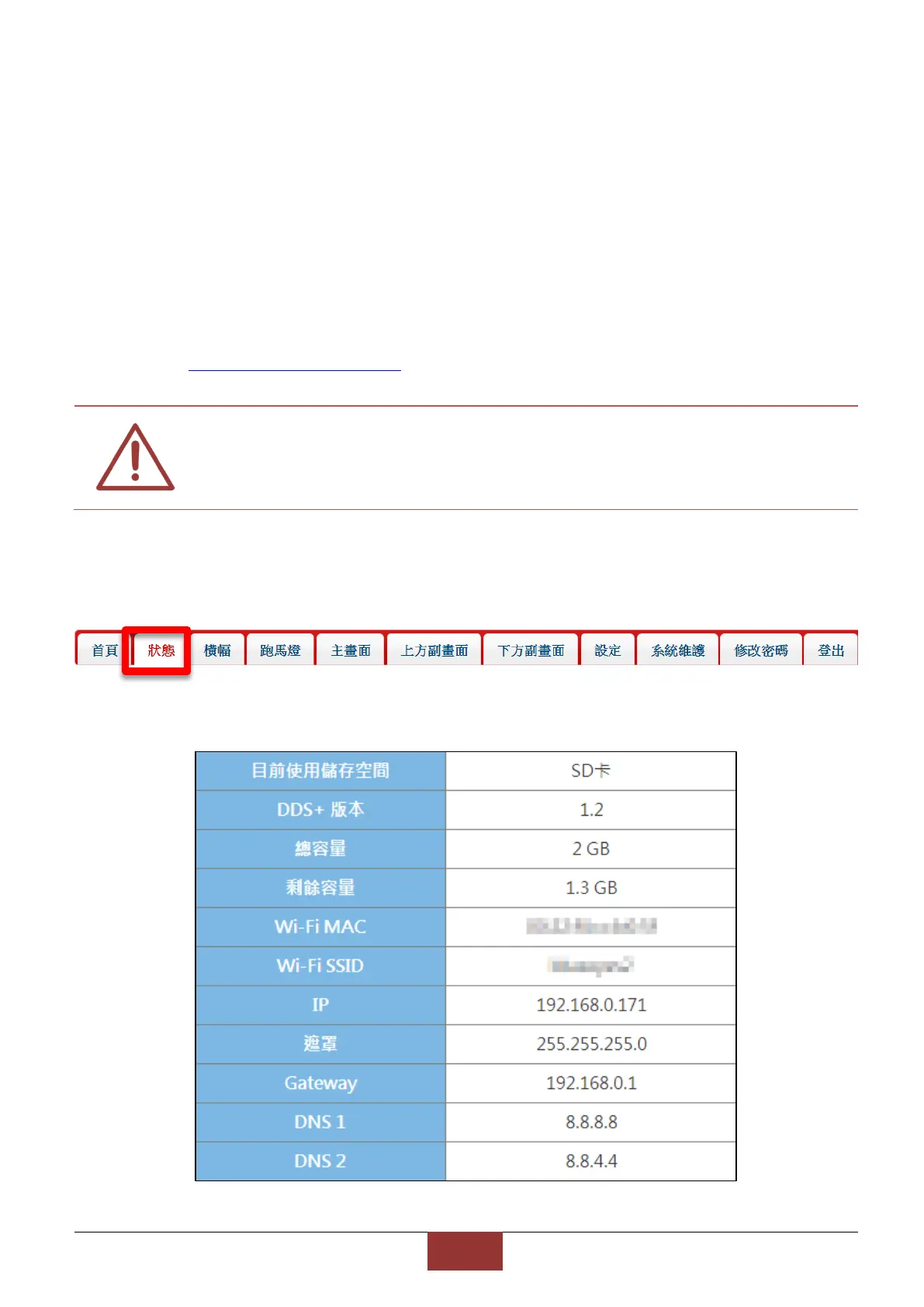
2.2.2 Status
It shows used memory, DDS version, memory, left memory, Wi-Fi MAC, Wi-Fi SSID, IP, mask,
Gateway, DNS1, DNS2.


 To Next Page