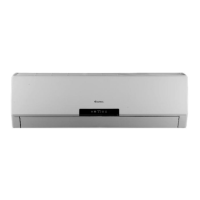
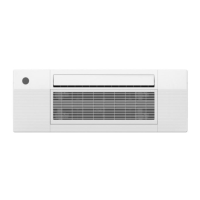
This document is an owner's manual for the Blueridge Wired Remote Controller XK19, designed for use with specific BMKH series indoor units. It provides comprehensive instructions for installation, operation, and troubleshooting.
Function Description
The Blueridge Wired Remote Controller XK19 serves as a universal control interface for compatible indoor units, allowing users to manage various air conditioning functions. It acts as a primary control point, with the remote receiver either integrated into the indoor unit or the wired controller itself. The controller enables users to turn the unit on/off, select operating modes (Auto, Cooling, Dry, Fan, Heating), adjust temperature, set fan speed, program timers, and activate specialized functions such as Swing, Fresh Air Valve, Sleep, Turbo, Energy Saving, E-heater, Blow, and Quiet modes.
The controller's display provides visual feedback on the current settings and operational status, including ambient/preset temperature, timing values, and active functions. In multi-unit setups, it can be integrated into a smart zone control system, supporting up to 16 communication node addresses.
Important Technical Specifications
- Compatible Models: BMKH12MCC, BMKH18MCC, BMKH09MFCC, BMKH12MFCC, BMKH18MFCC, BMKH24MFCC.
- Temperature Setting Range: 16~30℃ (61~86°F) in Cooling, Dry, Fan, or Heating mode. Unadjustable in Auto mode.
- Timer Setting Range: 0.5-24 hours, adjustable in 0.5-hour increments.
- Fresh Air Valve Levels: Adjustable from 1 to 10.
- Communication Distance: Up to 65.6 feet (standard distance is 26.2 feet) between the main board and the wired remote controller.
- Communication Interface: 485 communication interface for connecting a 4-core communication wire.
- DIP Switch: 2-bit DIP switch on the main board for system configuration, particularly for the last wired controller in a multi-unit system.
- Power Supply: Requires a wired connection, with instructions to cut off power during installation.
- Electromagnetic Interference: Signal and communication lines should be separated from power cords by a minimum of 20cm. Shielding twisted pair lines are recommended in environments prone to electromagnetic interference.
Usage Features
- On/Off Control: Simple press of the On/Off button to power the unit.
- Mode Selection: Cycle through Auto, Cooling, Dry, Fan, and Heating modes using the Mode button.
- Temperature Adjustment: Use the ▲ or ▼ buttons to increase or decrease the set temperature. Continuous pressing adjusts temperature by 1℃ (1°F) every 0.5 seconds.
- Fan Speed Control: Cycle through Auto, Low, Middle, and High fan speeds using the Fan button.
- Timer Function: Set "Timer On" or "Timer Off" by pressing the Timer button, adjusting the time with ▲ or ▼, and confirming with Enter/Cancel.
- Swing Function: Activate the swing function by pressing Function, confirming with Enter/Cancel. The swing icon blinks during activation.
- Fresh Air Valve Function: Select "Fresh Air Valve" via the Function button, adjust the level (1-10) with ▲ or ▼, and activate with Enter/Cancel.
- Sleep Setting: Activate Sleep mode via the Function button, confirming with Enter/Cancel. This adjusts temperature gradually over time for comfort.
- Turbo Setting: Engage Turbo mode for rapid cooling or heating by selecting it with the Function button and confirming with Enter/Cancel.
- Energy Saving Function: Set lower (Cooling/Dry) or upper (Heating) temperature limits for energy saving via the Function button, adjusting with ▲ or ▼, and activating with Enter/Cancel. The Mode button can switch between cooling and heating energy-saving settings.
- E-heater Setting: In Heating mode, the E-heater (auxiliary electric heating) can be turned on/off via the Function button and Enter/Cancel. It activates automatically in Heating mode.
- Blow Setting: In Cooling or Dry mode, activate Blow function via the Function button and Enter/Cancel. This runs the indoor fan at low speed for 2 minutes after shutdown to prevent mildew.
- Quiet Function: Select "Quiet" or "Auto Quiet" via the Function button, switch between types with ▲ or ▼, and activate with Enter/Cancel.
- Memory Function: Press ▲ + Mode for 5 seconds under the off state to enable/disable the memory function, which restores the unit's previous settings after a power failure.
- Lock State: Press ▲ + ▼ for 5 seconds under the off state or during normal operation to lock/unlock the controller buttons.
- Celsius/Fahrenheit Switch: Press Mode + ▼ for 5 seconds under the off state to switch between Celsius and Fahrenheit scales.
- Temperature Sensor Selection: Under the off state, press Function + Timer for 5 seconds to enter commissioning status. Use Mode to select options for indoor ambient temperature sensing (return air sensor, wired controller sensor, or a combination depending on mode).
- Fan Speed Level Selection: Under the off state, press Function + Timer for 5 seconds to enter commissioning status. Use Mode to select between three low fan speeds or three high fan speeds.
Maintenance Features
- Error Display: The LCD displays error codes (e.g., "F0") if a malfunction occurs. Multiple errors are displayed circularly.
- Troubleshooting: The manual provides a comprehensive table of error codes and their meanings (e.g., F1 for return air temperature sensor error, P6 for drive board communication error, E6 for indoor/outdoor communication error).
- Professional Assistance: In case of any error, users are instructed to turn off the unit and contact professional service personnel.
- Installation and Dismantlement Instructions: Detailed steps are provided for connecting the signal line, installing the wired remote controller (including mounting the soleplate, attaching the sponge, inserting the communication line, and securing the front panel), and dismantling it.
- Wiring Precautions: Emphasizes the importance of cutting off power during installation and proper separation of signal/communication lines from power lines to prevent electromagnetic interference.
- System Connection Diagram: Includes a schematic for connecting multiple wired controllers in a smart zone control system, highlighting the use of DIP switches for configuration.

 Need help?

 To Next Page
 General