Need help?
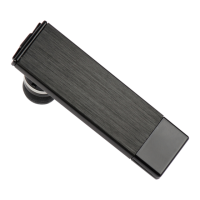
Do you have a question about the BlueTrek Metal and is the answer not in the manual?
Turns the headset on by holding the TALK button for 3 seconds until a blue indicator light appears.
Turns the headset off by holding the TALK button for 7 seconds until a red indicator light appears.
Use voice recognition by ensuring it's activated and voice tags are recorded on your phone.
Ensure headset and phone are ON and in standby, then dial the number to establish connection.
Hold the VOL+ button for 3 seconds during a call to mute the microphone.
Press the VOL+ button once when muted to end the mute function.
Turn off the headset during an active call to transfer it to the phone.
Press TALK button for 2 seconds during an active call to transfer it to the phone.
Switch on your headset to transfer a call from the phone.
Press TALK button for 2 seconds during an active call to transfer it to the phone.
Reject an incoming call by pressing the TALK button for about 2 seconds.
Redial the last number by pressing the TALK button for about 3 seconds until a beep.
 General
| Compatibility | Multi |
|---|---|
| Dimensions (WxDxH) | 15.6 x 49.8 x 4 mm |
| Standby time | 168 h |
| Bluetooth | Yes |
| Wireless range | 10 m |
| Bluetooth version | 2.0+EDR |
| Connectivity technology | Wireless |
| Headset type | Monaural |
| Product type | Headset |
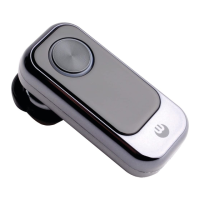
| Product color | Silver |
 Weight and Dimensions
| Weight | 5.5 g |
|---|


 To Next Page