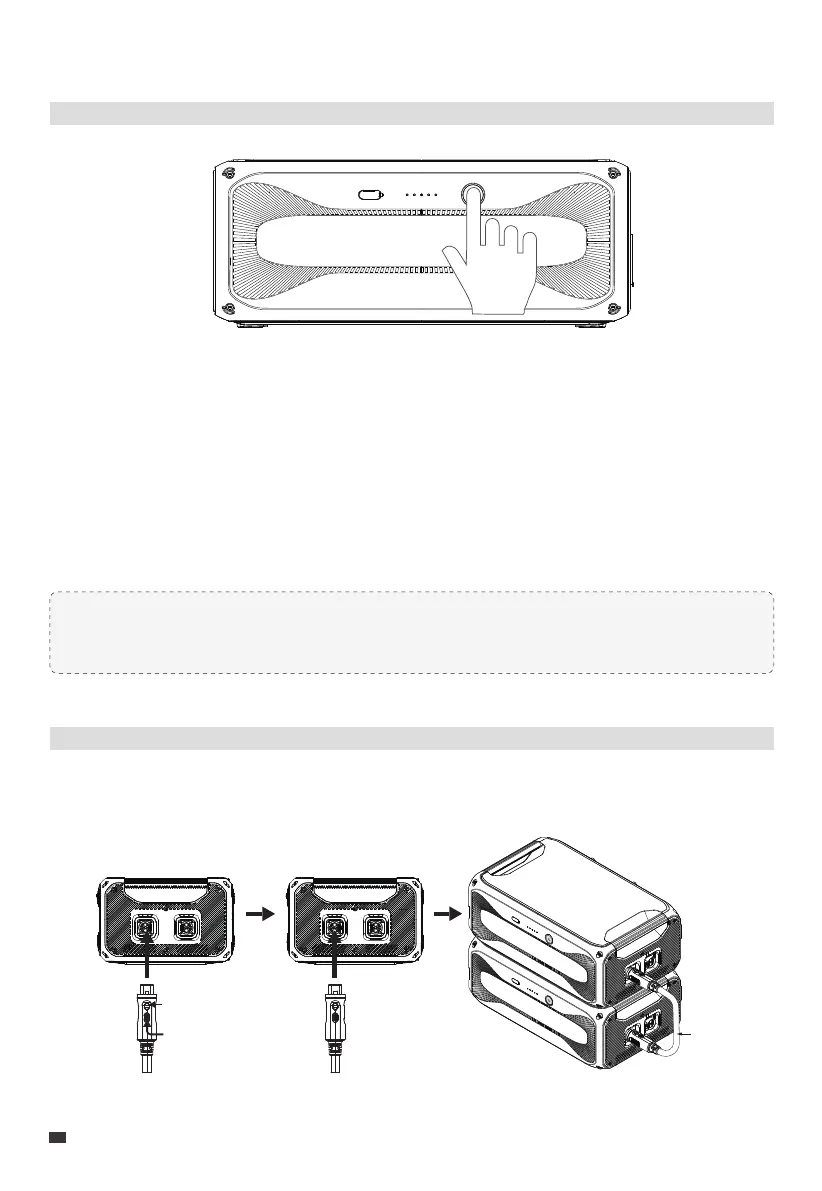
Power On/Off
Connect to B300K and Power Station
4. Use Your B300K
Power On
1. Long press the power button.
2. When the button lights up, the B300K is on standby.
3. The LED indicators show the battery level.
Power Off
1. Long press the power button.
2. The button light and indicators turn off.
Note: Connected to a power station, the B300K automatically turns on when the
combo charges with AC power or solar panels.
Connecting to B300K Battery
Use the P090A battery expansion cable to interconnect the B300K units.
EN
10
JUST POWER ON
Press down to
insert cable into port
P090A
Push to lock cable
in place



 To Next Page