05
5.4 Applying for expert authorization of APP
Operation steps:
Users need to use the advanced features of the app, register an BLUETTI APP account first, and
then apply to become an advanced user through the link below,
https://h5.bluettipower.com/app/apply-vip/index.html
Note: This feature is only used for advanced user permission application and approval. If it is for a
corporate installer, please go through BLUETT. The STAR process involves submitting
corresponding qualifications, and after review, becoming our registered installer will automatically
grant the installer role permissions.
After the user fills out the application, our department reviews and approves the application, and
then the pro mode is available to the user.
5.5 Reconnecting the cables
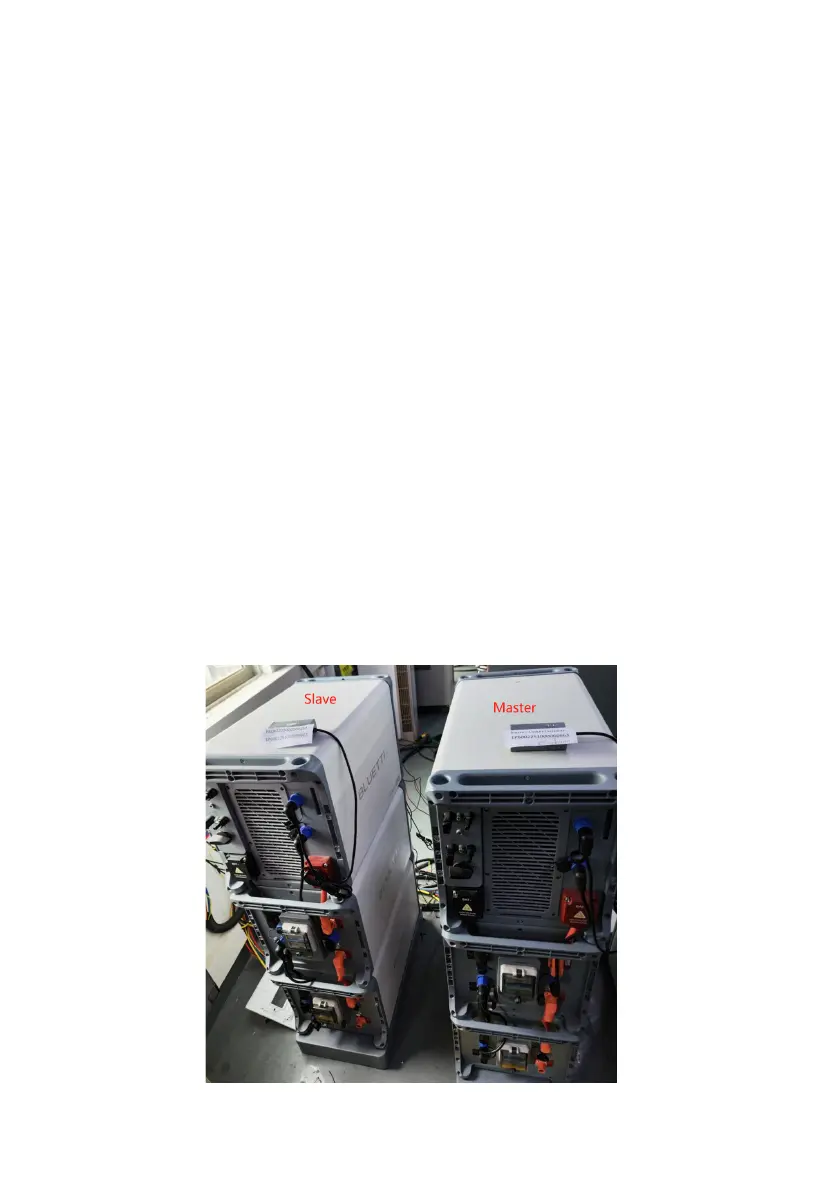
As shown in the figure below, two connected EP600s ,
Step 1 : Distinction master and slave
Here we have made a distinction, with one on the left being the Slave and one on the right being
the Master.
Note: The smaller serial NO. of EP600 is the Master ,and the CTs are connecting on the Master.
Master: EP6002251000340163 (just for example)
Slave: EP6002326000001749 (just for example)



 To Next Page