Page 03
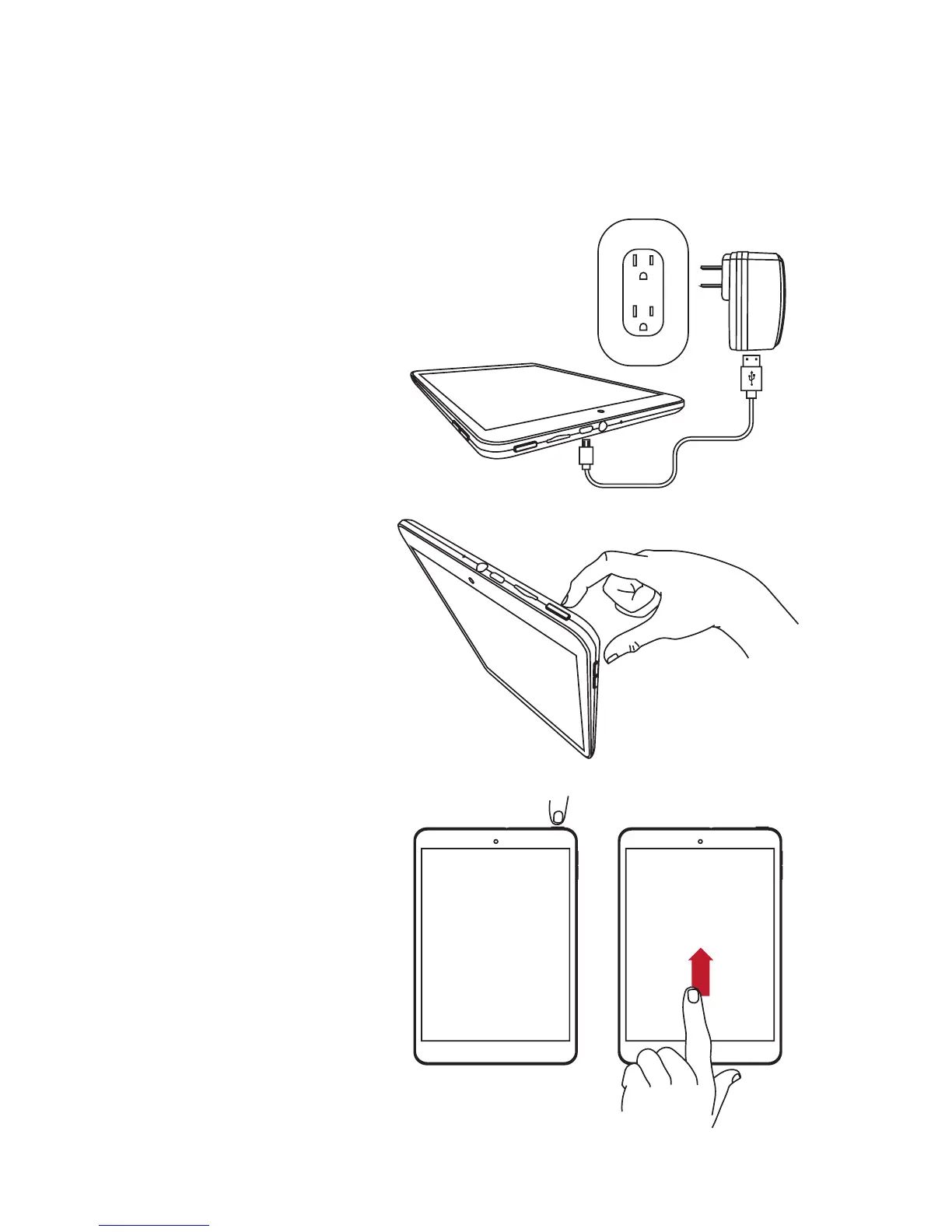
Charge the Tablet
Itisrecommendedtofullychargethetabletbeforeusingitforthersttime.
1. Plug the smaller end of the cable into
the micro USB port of your tablet.
2. Insert the larger end into the
USB charger.
3. Plug the USB charger to an
electrical outlet.
• ToturnON,pressandholdthe
Power Button for two (2) seconds.
• ToturnOFF,pressandholdthe
Power Button for two (2) seconds
and tap Power Off.
• Tolock,pressthePower Button.
• Tounlock,pressthePower Button
and swipe up the screen.
Turn the Tablet On or Off
Lock and Unlock the Screen


 To Next Page