16 | P a g e
after approximately 500 hours of operation. After you inspect the cell (and clean, if necessary)
press the small “diagnostic” button next to the display for 3 seconds to stop the flashing
“Inspect Cell” LED and start the timer for the next 500-hour inspection period.
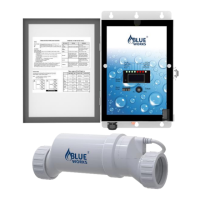
The BLH electrolytic cell has a self-cleaning feature incorporated into the electronic control’s
logic. In most cases, this self-cleaning action will keep the cell working at optimum efficiency.
In areas where water quality is hard (high calcium and/or mineral content) and in pools where
the water chemistry has gotten “out of balance”, the cell may require periodic cleaning. The
“Inspect Cell” LED remains on after a thorough cleaning, the cell may be worn and may
require replacement.
Servicing and Cleaning the cell
• Turn off power to the BLH before removing the CELL.
• Once removed, look inside the cell and inspect for scale formation (light-colored
crusty or flaky deposits) on the plates and for any debris that has passed through
the filter and gotten caught on the plates.
• If no deposits are visible, reinstall. If deposits are still visible, use a high-pressure
garden hose and try to flush the scale off. If this is not successful, use a plastic or
wood tool to scrape deposits off and remove from the plates. DO NOT USE A
METAL SCRAPER AS THIS WILL SCRATCH THE FINISH AND DAMAGE THE
PLATES. Note that any buildup on the cell indicates that there is an unusually high
calcium level in the pool (old pool water is usually the cause). If this is not corrected,
you will need to clean the cell more frequently. The simplest way to avoid this is to
bring the pool chemistry to recommended levels, as specified.
Mild Acid Washing:
Use only in severe cases where flushing and scraping will not remove majority of deposits.
To acid wash:
• Turn off power to BLH.
• Remove the cell from the piping.
• In a clean plastic container, carefully mix a 4:1 solution of water to muriatic acid


 To Next Page