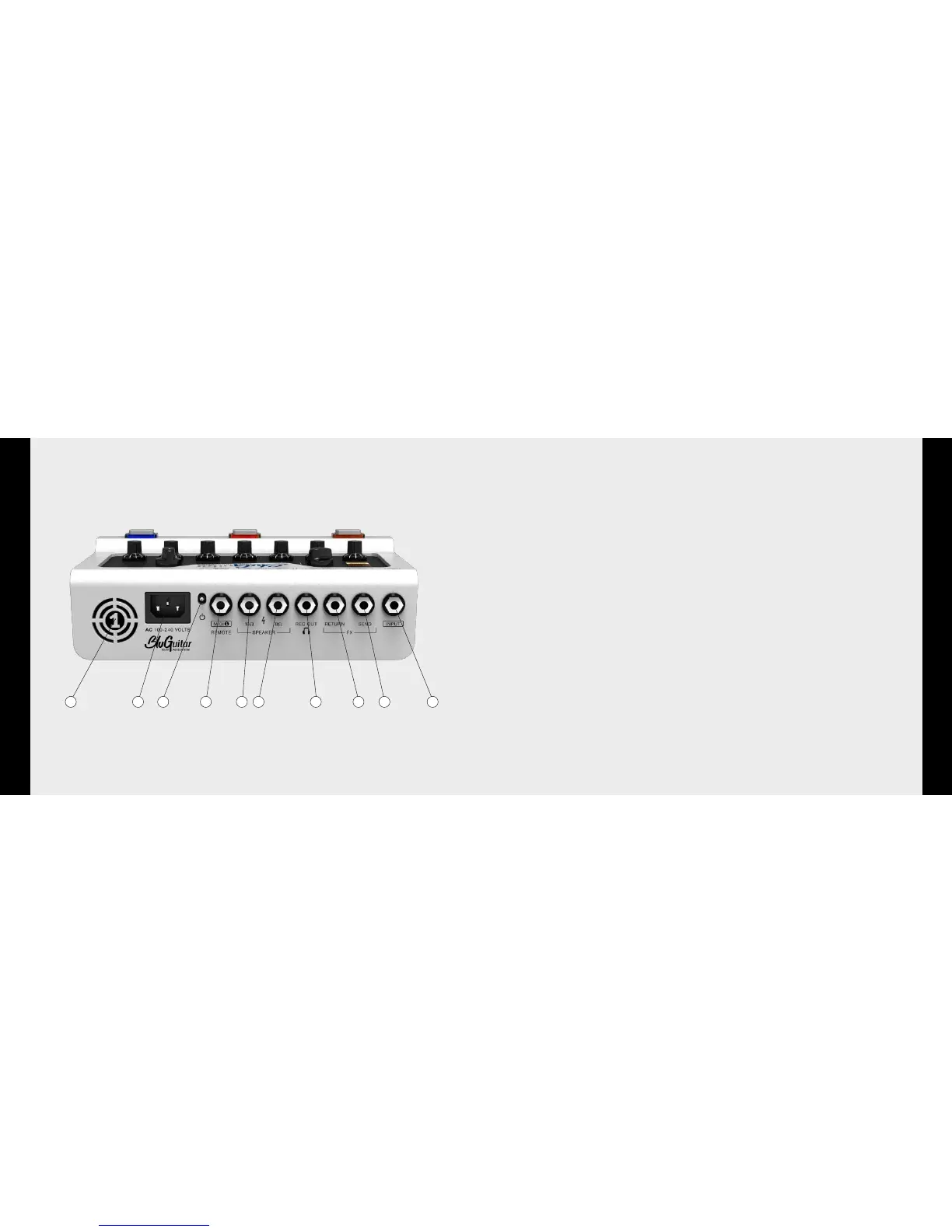
1619 17 15 141821 2023 22
14 Input
Connect your guitar to AMP1 here. Please only use suitable, shielded
guitar cables!
15 FX-Loop Send
FX Loop between the preamp and the power amp. Connect this port to
the input of your FX equipment. Also usable as a Line Out.
Page 34
16 FX-Loop Return
FX Loop between the preamp and the power amp. Connect this port to
the output of your FX equipment. Also usable as a Line In.
Page 34
17 Rec Out
Output for headphones and mixers. For use exclusively with head-
phones, just don’t connect a speaker. MASTER 3 then determines
headphone volume
Page 26
18 Speaker Out 8 Ohm / 100W
Please use only one of the Speaker Out ports at a time, using the right
impedance. Page 25
19 Speaker Out 16 Ohm / 100W
Please use only one of the Speaker Out ports at a time, using the right
impedance. Page 25
20 FOOTSW. / MIDI1 / REMOTE
Multifunction port for connecting: standard footswitch (single and
double footswitch, with or without LED) for switching Clean/Overdrive
(Tip) and Boost (Ring). Page 36
REMOTE1
™
or
MIDI1
™
for switching:
•CLEAN •BOOST
•VINTAGE •REVERB
•CLASSIC •LOOP
•MODERN •MasterVolume
•POWERSOAK
•GAIN/CLEANVolume
21 On/off power switch
22 Mains plug socket
A modern switching power supply constantly provides all the internally
required operating voltages, regardless of network voltage. This enables
AMP1
™
to provide the exact same sound and performance anywhere
in the world – without the need for additional adjustment. All you need
is a suitable power cord with the country-specific mains power plug.
23 Fan
The regulated fans become are activated when
AMP1
™
is used
intensely. The openings must remain uncovered, to ensure that
AMP1
™
can be properly cooled at all times.
Inputs


 To Next Page