66
EN
CONTROL PANEL AND FUNCTION KEYS
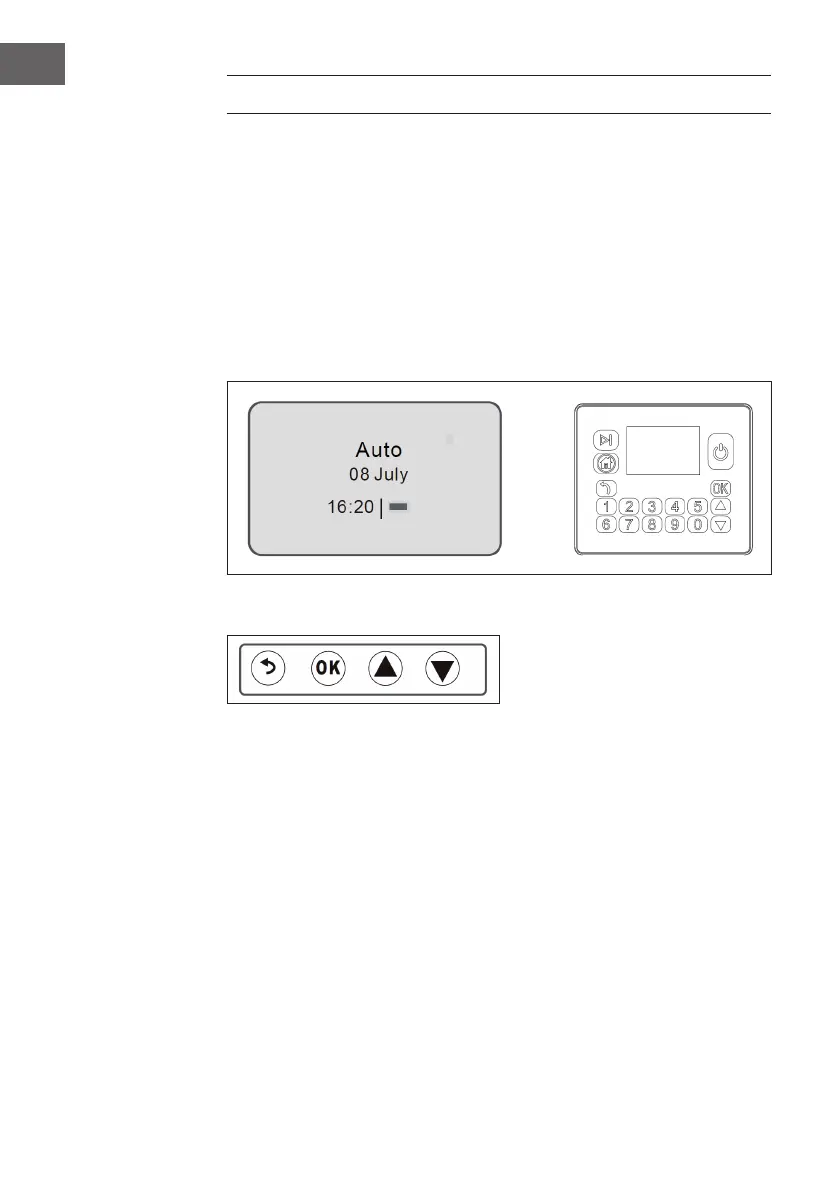
Control panel
Use the control panel for all inputs and settings you want to make. All
functions can be entered using menu numbers. The control panel consists
of a screen and a keyboard. All information is displayed on the screen and
all entries are made using the keyboard. The main menu is the highest in the
menu structure. The mouse pointer indicates which menu was selected by
conrming with the YES key. The clock shows the current time. The text „Auto“
or „Man“ indicates which operating mode has been selected. The battery
status indicates the remaining battery level. The keypad consists of three
groups of keys: Selection, numbers and the On/Off key.
1. Selection keys
(1) Back: Press this key to return to the menu structure or cancel your entry.
(2) OK: Press this key to conrm your entry.
(3) Arrow keys up/down: Press the arrow keys to select from the various
options in the menu.



 To Next Page
 Loading...