12
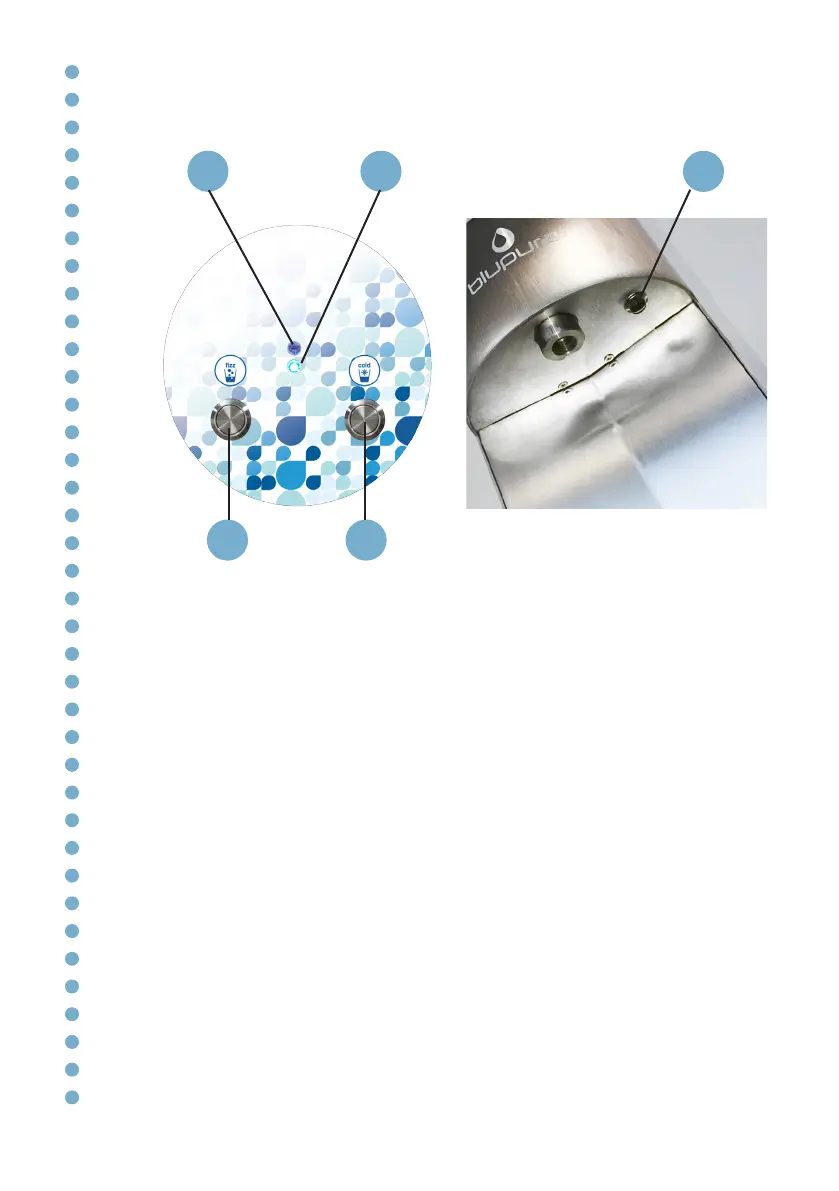
Description of the keypad
P. 3
P.1 Cold sparkling water dispensing button
P.2 Cold still water dispensing button
P. 3 SET UP button*
L.1 BLUE Led*:
Fixed - POWER ON
L.2 GREEN Led*:
L.1 + L.2 flashing - SET UP mode
* Only VOL model
In the version without volumetric programming, the water supply is only
activated by holding down the button.
In Hot model, for safety reasons, to dispense hot water hold down the 2
hot water buttons at the same time.
P. 1 P. 2
L.2 L.1


 To Next Page