Put the magnetic handle cover (B-1) back onto the handle.
Test the handle. Push the internal handle down, it should operate the latch fully. Then touch the
fingerprint sensor on the external handle, it should light up GREEN and you should hear the
mechanism turn. Push the handle down and it should operate the latch.
Ensuring everything is working correctly, it is now okay to close the door. It is recommended to test
this from the inside, therefore you can still remove the handle if anything isn't working correctly.
14
15
18
19
20
P-08
Model B Installation
Push the mounting plate (E) over the spindle and connection bosses until its flush with the handle.
Feed the wire and spindle through the latch in the door and the connection bosses through the
holes you previously drilled. The handle should push flat against the door.
Pick up the internal handle (B) and the setting needle (K). At the back of the handle grip, there is a
small hole. Push the setting tool into this hole and press hard until the magnetic handle cover (B-1)
pops off. Remove the cover and also the battery cassette (B-2).
Take the second mounting plate (E) and place it over the spindle.
Holding the internal handle (B), feed the wire and spindle through the spindle hole in the handle.
You will be able to see the cable coming through from the back of the handle.
Push the handle towards the door and locate it into the mounting plate so that it sits flush onto the
door.
Use the screws provided (I) and fix the internal handle to the external handle through the drilled
holes. If you can't locate the screws into the connection bosses on the external handle, it may be
that the holes aren't aligned. Repeat step 5 to fix this.
09
10
11
12
13
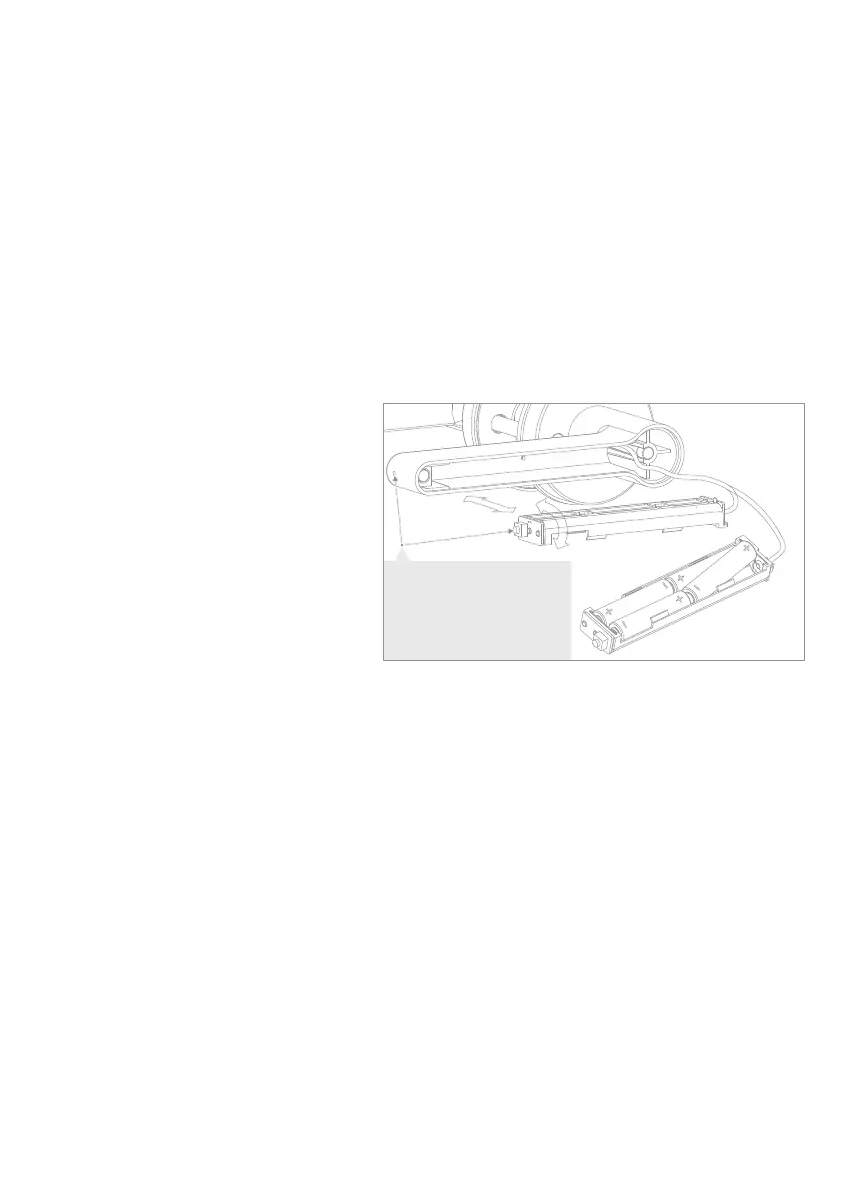
Insert 4 AAA batteries into the battery
cassette (B-2).
Connect the battery cassette (B-2) to
the wire (you will hear a beep). Then
insert the battery cassette into the
handle, ensuring that the side containing
the cable connector and set button goes
in first.
16
17
Note: please make sure the
setting button's orientation
is facing the inside of the
handle and aligns with the
hole.


 To Next Page
 Loading...