Blusens H305
17
ENGLISH
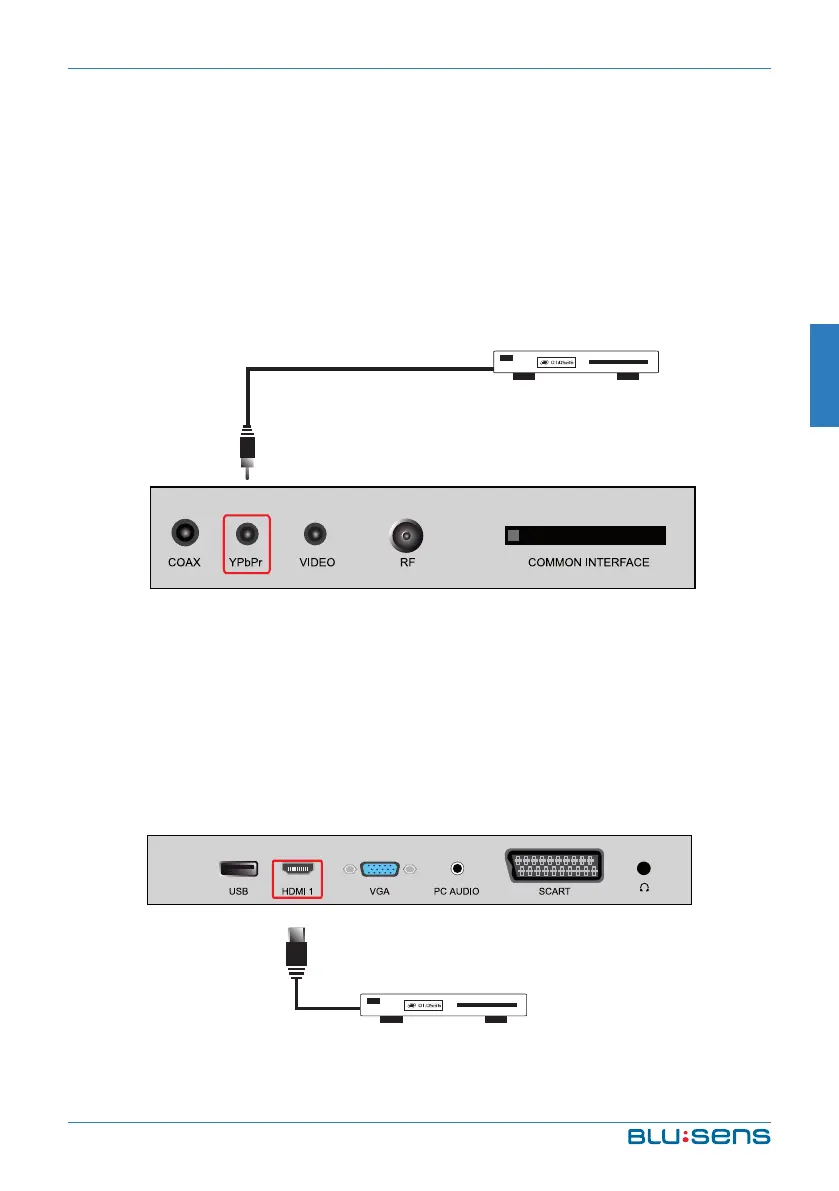
2.5. Conecting via Component Video
Connect your video player (VHS, Betamax, etc. ...), decoder, DVD or
similar with an RCA cable, from the YPbPr video output of the device
to the YPbPr video input on your TV, as shown in Figure . Use a second
RCA cable to connect the audio. Through this entry you can get HD
video.
2.6. Connecting via HDMI
Connect your video player (VHS, Betamax, etc. ...), decoder, DVD or
similar, with the corresponding HDMI cable from the HDMI output of
your video equipment to one of the HDMI input on your TV, as shown in
figure. This cable transfers HD video and audio.


 To Next Page