Blusens H305
33
ENGLISH
After selecting SPDIF MODE, press / key to select “PCM” or “AUTO”.
After selecting AD Switch, press OK key to enter into AD Switch submenu.
Press / key to select “On” or “Off”. When you select “On” you can adjust
AD Switch by pressing / key.
4.4. Option Settings
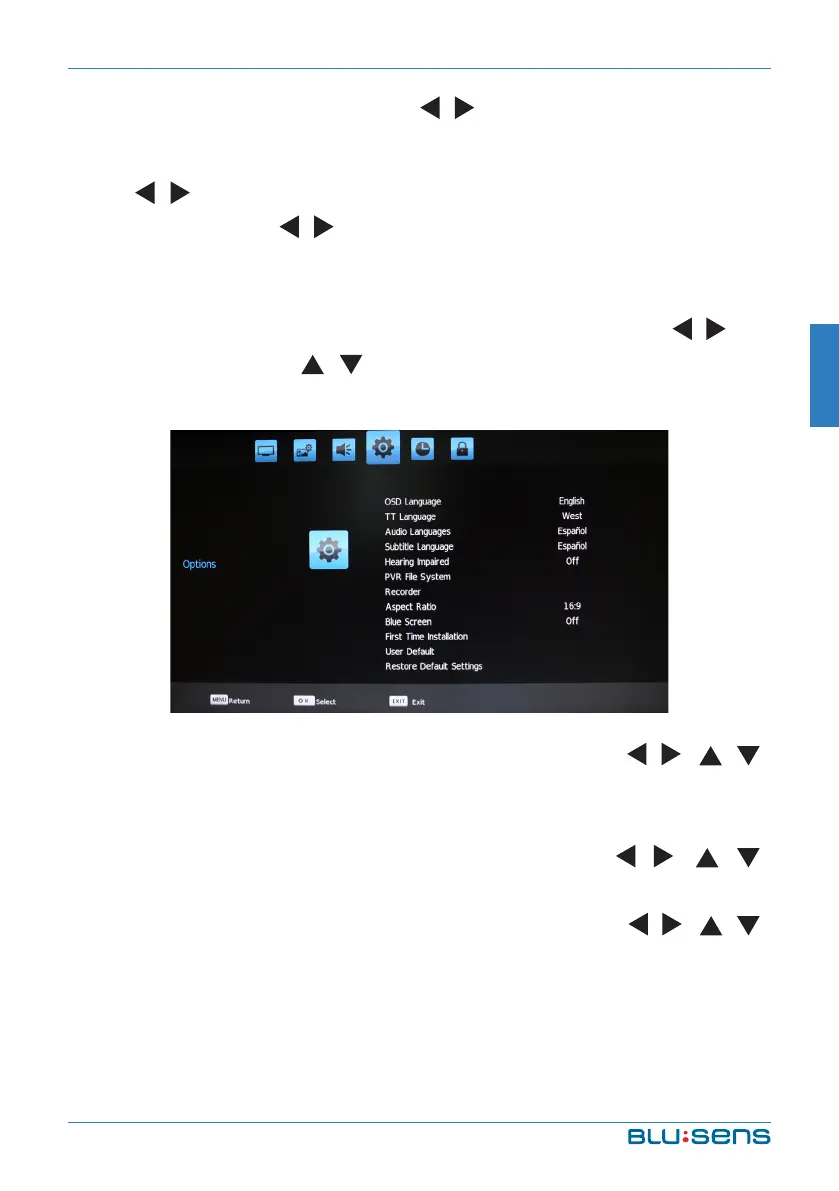
Press the MENU key, Channel menu shows on the screen. Press / key
to select OPTION. Press / key to select item you´d like to adjust or set.
Press OK key to enter into Option Mode submenu.
OSD Language: Choose the OSD menu language with / / /
buttons, press OK to confirm and MENU to return previous menu.
TT Language: Select the alfabet of your region.
Audio Languages: Choose the audio language with / / /
buttons, press OK to confirm and MENU to return previous menu.
Subtitle Language: Choose the subtitle language with / / /
buttons, press OK to confirm and MENU to return previous menu.


 To Next Page