Blusens H305
25
ENGLISH
4. SETTINGS
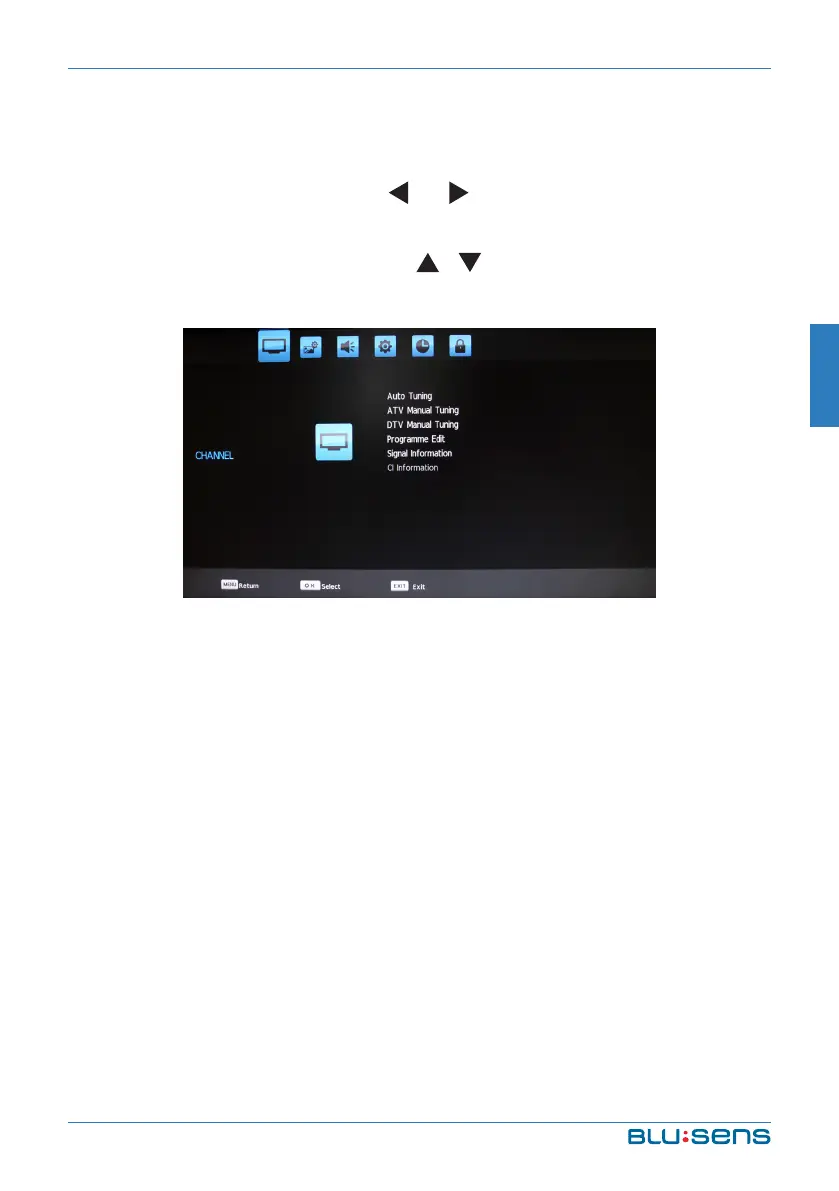
Turn on the TV by pressing the red POWER button, press MENU to display
the main menu screen and use the and direction buttons or VOL- y VOL+
to select the adjustment sort menu, which includes 6 sorts: Channel, Picture,
Sound, Option, Time and Lock. Press y or CH+ y CH- to select what is
needed to adjust in sort menu.
Press OK key on the remote control to set or enter into next menu.
Press MENU to exit the main menu when the TV displays the Main Menu.
Press MENU key to return to previous menu when the TV displays the sub-
menu.
Press INPUT key to display the signal source menu.
During the operation, the selections which can not be adjusted at current
mode will be hidden automatically and the color of the selections will be
changed into gray.


 To Next Page