USER’S MANUAL
36
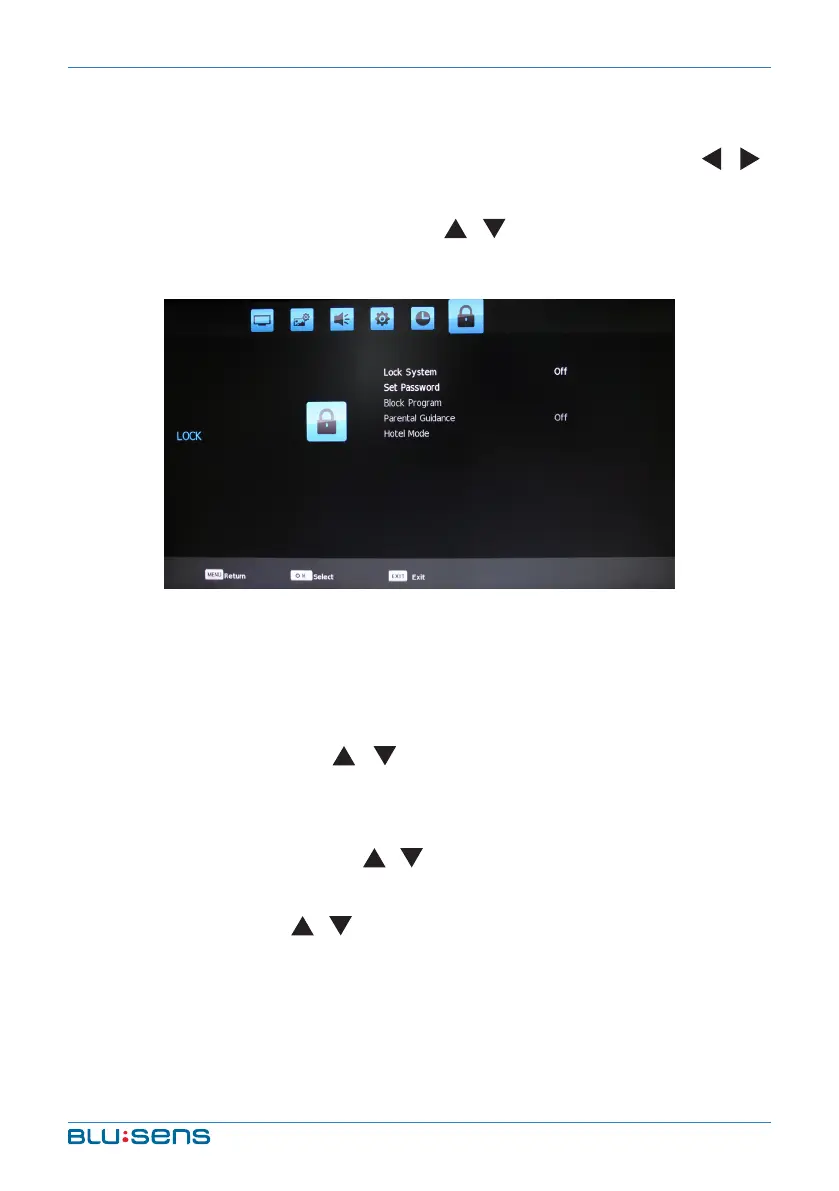
4.6. Lock Settings
Press the MENU key, Channel menu shows on the screen. Press /
key to select LOCK. After pressing OK, enter the password using the numeric
keys (default password is “0000”). Press / key to select item you´d like
to adjust or set.
Lock System: Press OK key to select “On/Off”
Set Password: Press the numerical key to input old password. Input
new password twice to complete the password change and return to
last menu.
Block Program: Press / key to select the channel that you´d
like to lock and then press LOCK key to lock or unlock. Press MENU key
to exit menu operation.
Parental Guidance: Press / key to select: Off, 4, 5, 6, 7, 8, 9, 10,
11, 12, 13, 14, 15, 16, 17, 18.
Hotel Mode: Press / key to select item you´d like to adjust or set.


 To Next Page