12 13
Quick start
Secondary programmes and functions
Quick start
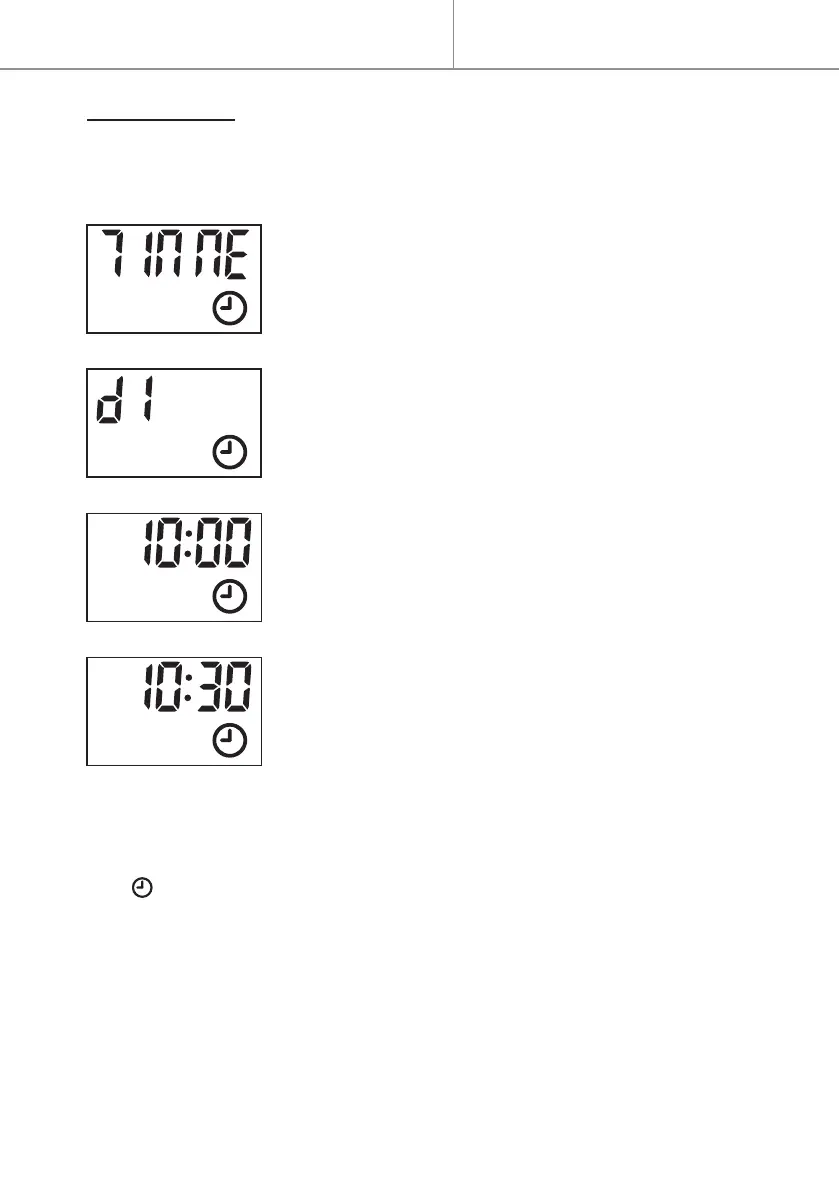
TIME SETTING
- Press button
≡
to select “ΠΠodE“ menu.
- Press to validate.
- Press button + or - to access Time Setting “TIME” :
- Press to validate.
- Press button + or - to select day, “d1” for Mon-
day, “d2” for Tuesday, “d3” for Wednesday, “d4” for
Thursday, “d5” for Friday, “d6” for Saturday or“d7”
for Sunday.
- Press to validate the day.
- Press button + or - to set time (hour).
- Press to validate the hour.
- Press button + or - to set time (minute).
- Press to validate the time setting.
- To exit the setting during operation, press button
≡
.
. If icon permanently ashes, this indicates that the time is oset
following a power cut. It’s ashing as a time has not been set.


 To Next Page