14 15
Quick start
MANUAL SETTING FOR WEEKLY PROGRAMMING
- Press button
≡
to select “ΠΠodE“ menu.
- Press to validate, then button + or - to access Manual Setting
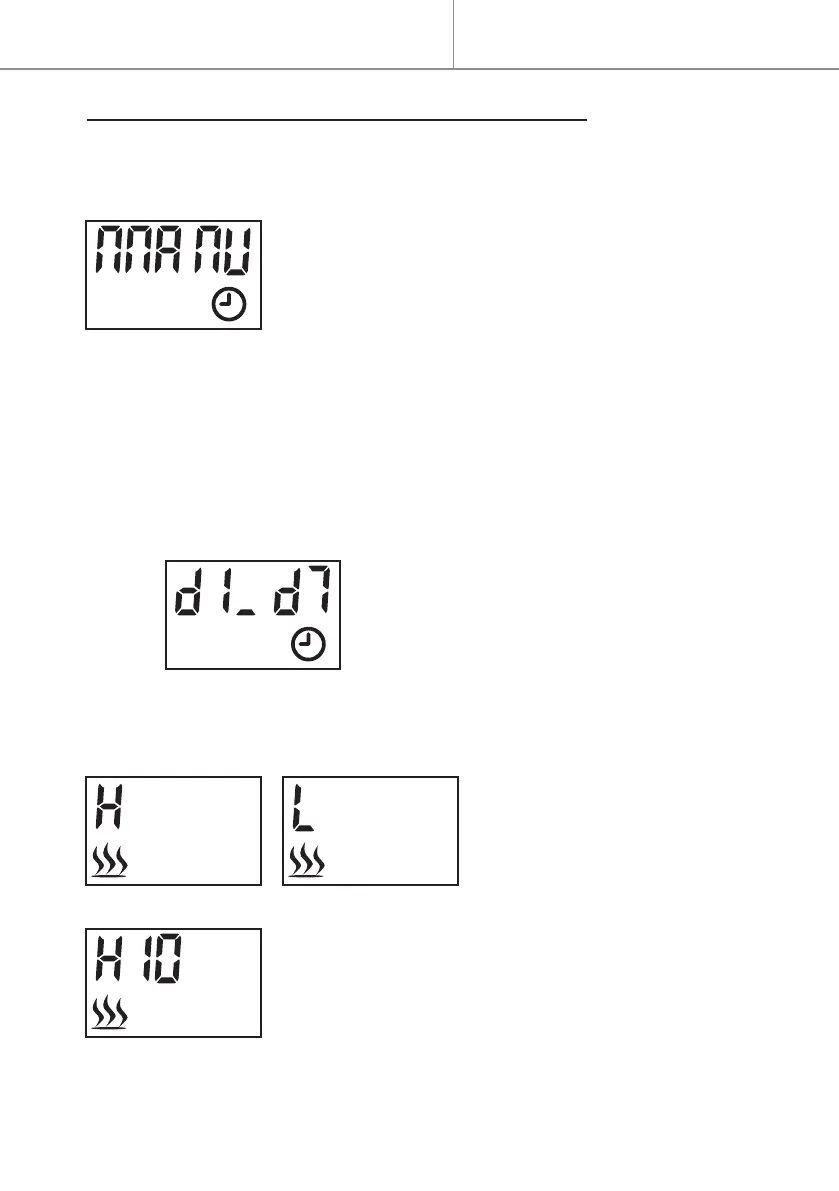
“ΠΠAΠU” :
- Press to validate.
1- Press button + or - to select the rst activation day.
- Press to validate.
2- Press + or – to select the last activation day.
- Press to validate.
Following example :
For selecting “d1” (Monday) as rst
activation day, and “d7” (Sunday) as last
activation day.
3- Press button + or - to
select the heating level : “H”
for high heating and “L” for
low heating.
- Press to validate.
4- Press button + or - to set your desired temper-
ature.
- Press to validate.


 To Next Page