12 13
NDY-19MA-E NDY-19MA-E
In more detail . . .
In more detail . . .
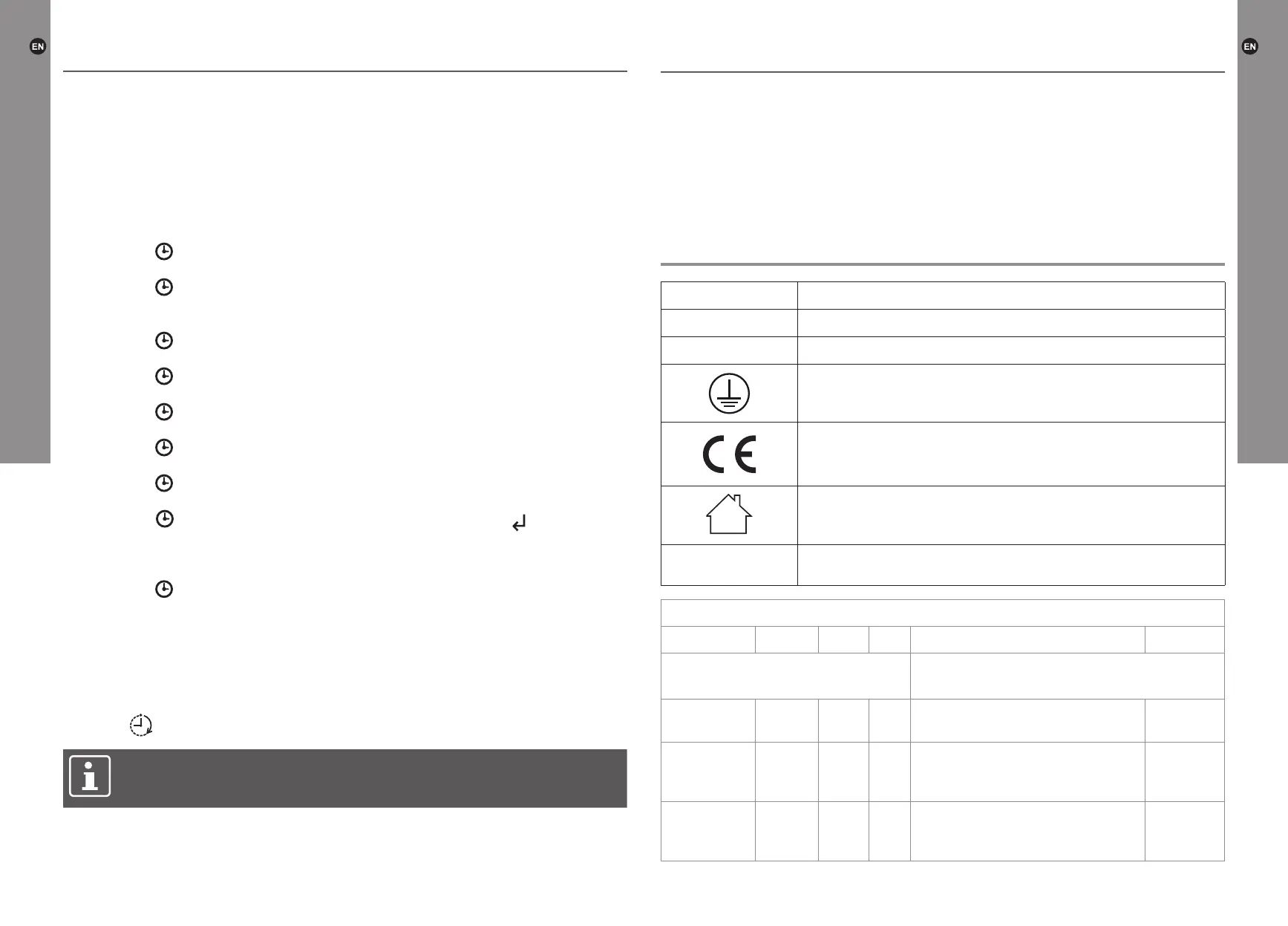
Setting timer
• Up to 10 different timer settings can be programmed.
• Each timer setting has its date, power-on time and power-off time.
• The maximum duration of each timer setting is 23 hours 50 minutes.
• If the power-off time of the timer setting falls on the following day, it is unnecessary
to set the date – just set the power-off time.
1. Press the key, the timer number starts blinking (01-10).
2. Press the “+” or “-” key to select a timer number.
3. Press the key. The cursor on the left side of the day blinks.
4.
Press the “▲” or “▼” key to move the cursor to the corresponding day. Press the “+”
key to add a corresponding day, or press the “-” key to delete a day.
5. Press the key to set the on time. The hour digit starts blinking.
6. Press the “+” or “-” key to set the hour.
7. Press the key. The minute digit starts blinking.
8. Press the “+” or “-” key to set the minute.
9. Press the key, to set the off time. The hour digit starts blinking.
10. Press the “+” or “-” key to set the hour.
11. Press the key. The minute digit starts blinking.
12. Press the “+” or “-” key to set the minute.
13. Press the key. The temperature digit starts blinking.
14. Press the “+” or “-” key to set the temperature.
15. Press the key to continue with the Timer setting or press the key to conrm
the setting.
Viewing the timer setting
1. Press the key.
2. Press the “+” or “-” key to check the power-on time of the set timers one by one.
3. To check the power-off time, press the “▲” key.
4. Press the “+” or “-” key to check the power-off time of the set timers one by one.
5. To delete selected setting, press the “C” key.
Activation timer
Press the key to activate the timer function.
NOTE: When the timer is active, the heating level must be manually selected.
If the heater function is not selected, only the ame effect goes on at the set
power-on time.
Automatic heating mode
Press the “IC” key to activate automatic heating mode. The “AUTO” icon appears on
the display.
When the automatic heating is turned on, the replace automatically activates/changes
the heating level depending on the set temperature and the ambient room temperature.
Technical specication
Model: NDY-19MA-E
Rated voltage: 220 - 240 V~, 50 Hz
Rated power input:
2000 W
Class I product, must be connected to earth.
Conforms to all relevant European Directives.
For indoor use only.
yyWxx
Manufacturing date code; year of manufacturing (20yy) and week
of manufacturing (Wxx).
Model identier(s): NDY-19MA-E
Item Symbol Value Unit Item Unit
Heat output Type of heat input, for electric storage local
space heaters only (select one)
Nominal heat
output
P
nom
2 kW manual heat charge control, with
integrated thermostat
Not
applicable
Minimum
heat output
(indicative)
P
min
1 kW manual heat charge control with
room and/or outdoor temperature
feedback
Not
applicable
Maximum
continuous
heat output
P
max,c
2 kW electronic heat charge control with
room and/or outdoor temperature
feedback
Not
applicable
Operation / Technical specications
Operation


 To Next Page
 Loading...