EasyManua.ls Logo

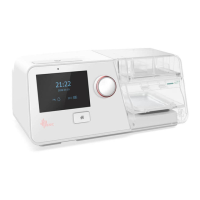
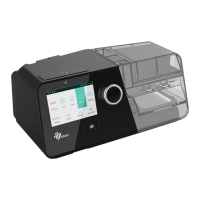
BMC G3 B30VT - User Manual

BMC G3 B30VT
62 pages
Print Icon
To Next Page IconTo Next Page
Loading...
User Manual
BPAP System
G3 B20A / G3 B25S / G3 B25A / G3 B25VT /
G3 B30VT / G3 B30SV / G3 LAB

Table of Contents

Other manuals for BMC G3 B30VT

Questions and Answers

  • L
    Larry ParkerAug 12, 2025
    How to prevent dry mouth and throat when using BMC Medical Equipment?
    • J
      Judy PachecoAug 12, 2025
      Dry mouth and throat can happen if you sleep with your mouth open, causing pressurized air to escape and dry out your nasal passage and throat. A possible solution is to use a chin strap to keep your mouth closed during sleep, or switch to a full-face mask. Contact your physician for details.
  • T
    Tina SantosAug 15, 2025
    How to treat a dry, cold, runny, and blocked nose when using BMC Medical Equipment?
    • S
      Shaun WalkerAug 15, 2025
      A dry, cold, runny, or blocked nose can occur as a reaction to the airflow and cold air from the device, which irritates the nasal mucosa. To address this, increase the humidity setting on your device. Also, contact your physician, and continue treatment unless they advise otherwise.
  • A
    Amanda FitzgeraldAug 19, 2025
    What to do if I have eye irritation using BMC G3 B30VT Oxygen Equipment?
    • T
      Tina AndersonAug 19, 2025
      Eye irritation can occur if the mask size or model isn't right, or if the mask isn't positioned correctly, leading to air leakage. Try narrowing the distance between the forehead support of the mask and your forehead. Be careful not to overtighten the mask, as this may leave marks. You can also add additional filling to the mask to prevent leaks. If problems persist, contact your equipment supplier for a more suitable mask and consider adding extra filling to the mask if needed.
  • D
    Devon OlsonAug 23, 2025
    Why do I have dry mouth and throat with BMC G3 B30VT?
    • S
      smithalexanderAug 25, 2025
      Dry mouth and throat are likely caused by sleeping with your mouth open, which allows pressurized air to escape, leading to dryness. To address this, use a chin strap to keep your mouth closed during sleep, or switch to a full-face mask. For more advice, contact your physician.
  • A
    andersonmarkAug 27, 2025
    How to stop facial reddening from BMC G3 B30VT Oxygen Equipment?
    • R
      Ryan GarrettAug 27, 2025
      Facial reddening can occur if the mask is too tight. Try loosening the headgear. It can also be caused by an incorrect distance between the forehead support and your forehead; experiment with different distances, noting that the angle and size of the forehead support vary by mask type. Finally, the mask size may be wrong, so contact your equipment supplier for a correctly sized mask.
  • S
    Steve HallAug 30, 2025
    How to treat a dry, cold, runny, and blocked nose when using BMC Oxygen Equipment?
    • B
      Bryan SampsonAug 30, 2025
      A dry, cold, runny, or blocked nose can occur as the nose reacts to the airflow and cold air. The fast airflow can cause the air to become cold, irritating the nasal mucosa, leading to dryness and swelling. Try increasing the humidity setting on your device. Also, contact your physician, and continue treatment unless they advise otherwise.
  • C
    chelseawallsSep 3, 2025
    What to do if I have eye irritation using BMC Medical Equipment?
    • S
      Stuart FordSep 4, 2025
      Eye irritation can occur if the mask doesn't fit properly, leading to air leaks. Try adjusting the forehead support to narrow the distance between it and your forehead, but be careful not to overtighten the mask, as this can leave marks. If needed, add filling to the mask to prevent leaks. Also, the mask cushion may have hardened. In this case, replace the mask or just the cushion. Contact your equipment supplier for an appropriate mask.
  • E
    Elizabeth CollinsSep 7, 2025
    Why is my face red when using BMC Medical Equipment?
    • M
      Matthew MclaughlinSep 7, 2025
      Facial reddening can occur if the mask is too tight. Try loosening the headgear. It can also happen if the distance between the forehead support and your forehead isn't right. Experiment with different distances, keeping in mind that the angle and size of the forehead support vary depending on the mask type.

Summary

2. Warnings, Cautions, and Tips

General Warnings

Explains the meaning of WARNING symbols and their implications for user safety.

General Cautions

Explains the meaning of CAUTION symbols and their implications for device safety.

3. Intended Use

Intended Use Warnings

Lists critical safety warnings related to the device's intended use and limitations.

5. Specifications

6. Available Therapies

9. Package Contents

Package Contents Warnings

Lists warnings regarding the use of accessories, tubing, and general safety.

10. System Features

11. First Time Setup

11.1 Placing the Device

Provides instructions on how to properly position the device for operation.

11.5 Tubing and Mask Assembly

Tubing and Mask Assembly Warnings

Lists warnings for connecting tubing and masks, especially regarding CO2 rebreathing.

11.6 Using Oxygen

Oxygen Use Warnings

Lists critical warnings for connecting and using oxygen with the device.

11.8 Starting Treatment

Starting Treatment Warnings

Lists warnings about following physician instructions and connecting approved equipment.

12. Routine Use

12.5 Using the Ramp Feature

12.7 Turning the Device Off

13. Heated Humidifier

Water Chamber Filling Warnings

Warns users to allow the heater plate and water to cool before handling.

13.1.2 Filling Water

Filling Water Warnings and Cautions

Lists warnings about water level and cautions about cleaning and water type.

13.2 Emptying the Water Chamber

13.3 Setting the Humidity Level

Humidity Level Setting Warnings

Warns against touching the hot heater plate during operation.

14. Using the SpO2 Kit

15. Using Cellular and WiFi Kit

Cellular Network Connection Warnings

Warns about placing other electronic devices near the cellular module.

15.2 Connecting to WiFi Network

16. Navigating the Patient Menu

16.2 Patient Menu Options and Descriptions

17. Alarm System

17.5 Alarm Information and Description

17.8 Alarming Verification

18. Cleaning and Disinfection

Cleaning and Disinfection Warnings

Lists warnings about regular cleaning, electric shock, and material care.

18.3 Cleaning the Water Chamber

Water Chamber Cleaning Cautions

Lists warnings about daily cleaning and cautions about cooling and soap residue.

18.4 Cleaning the Transfer Box

18.5 Cleaning the Enclosure

18.6 Cleaning the Tubing

18.7 Replacing the Air Filter; PM2.5 Filter

18.8 Disinfection

Disinfection Cautions and Warnings

Lists cautions about disinfectant damage and warnings about rinsing and servicing.

19. Traveling with the Device

21. Reordering

Reordering Warnings

Lists warnings about unexplained changes, sounds, damage, and unauthorized service.

24. Troubleshooting

24.1 Patient Problems and Solutions

Lists common patient-related problems and their solutions.

24.2 Device Problems and Solutions

26. Limited Warranty

BMC G3 B30VT Specifications

General IconGeneral
Pressure Range4-20 cmH2O
Data StorageSD Card
Dimensions290 × 196 × 134.6 mm
Automatic Leakage CompensationYes
Automatic Altitude CompensationYes
Sound Level<30 dBA
Operating Temperature5°C to 35°C

Related product manuals