EasyManua.ls Logo

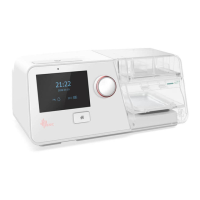
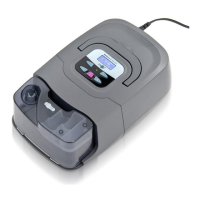
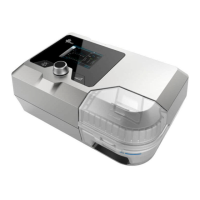
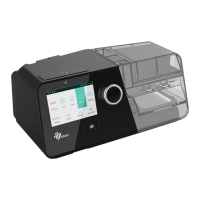
BMC BPAP Series - User Manual

BMC BPAP Series
62 pages
Print Icon
To Next Page IconTo Next Page
Loading...
User Manual
BPAP System
G3 B20A / G3 B25S / G3 B25A / G3 B25VT /
G3 B30VT / G3 B30SV / G3 LAB

Table of Contents

Questions and Answers

BMC BPAP Series Specifications

General IconGeneral
Pressure Range4-25 cmH2O
Ramp Time0-45 minutes
Operating Voltage100-240V AC, 50/60Hz
Data StorageSD card (detailed therapy data)
HumidificationOptional heated humidifier
Outlet Pressure4-25 cmH2O
Noise Level<30 dBA
Alarm Typespower failure, high leak

Summary

Symbols and Controls

Control Buttons Overview

Details of the device's control buttons like Home, Start/Stop, and Knob.

Device Symbols Explained

Explanation of various symbols used on the device and in the manual for clarity.

Safety and Intended Use

Critical Warnings and Tips

Provides critical warnings, cautions, and important tips for safe and effective use of the device.

Device Intended Use

Defines the purpose and patient population for which the BPAP system is designed.

Device Specifications

Available Therapy Modes

Glossary of Terms

BPAP System Models

Package Contents

System Features Overview

Initial Device Setup

Placing the Device Correctly

Instructions on how to properly position the device on a stable surface for optimal operation.

Installing Air Filters

Details the steps for installing the air filter or PM2.5 filter for air purification.

Connecting to Power Source

Explains how to connect the device to a power source using the power adapter and cord.

Securing the Power Cord

Describes how to secure the power cord using the provided locker to prevent accidental disconnection.

Assembling Breathing Circuit

Provides instructions on connecting the breathing circuit, including tubing and mask, to the device.

Using Supplemental Oxygen

Details safety precautions and procedures for using supplemental oxygen with the BPAP system.

Inserting the SD Card

Instructions for inserting the SD card for data recording and patient information.

Routine Device Operation

Connecting the Breathing Circuit

Steps for connecting the tubing, mask, and headgear before starting therapy.

Adjusting Tubing and Mask Fit

Guidance on adjusting the tubing and mask for a comfortable and leak-free fit during sleep.

Starting Airflow Therapy

How to initiate therapy and start the airflow from the device.

Humidifier Water Management

Instructions on using and managing the heated humidifier's water chamber.

Using the Ramp Feature

Explains the Ramp feature for gradual pressure increase to aid sleep onset.

Accessing iCode Data

How to access iCode information for therapy compliance and management.

Turning Off the Device

Steps for safely stopping therapy and powering down the device.

Heated Humidifier Usage

Filling the Humidifier Water Chamber

Instructions on how to remove, fill, and reinsert the water chamber for the humidifier.

Emptying the Water Chamber

Procedure for emptying and cleaning the water chamber when the humidifier is not in use.

Setting Humidity Levels

Guide on adjusting the humidity level for patient comfort and effective therapy.

SpO2 Monitoring Kit Usage

Wireless Connectivity

Connecting to Cellular Network

Steps to insert and connect the Cellular Module to establish a network connection.

Connecting to WiFi Network

Instructions for inserting the WiFi kit and connecting the device to a wireless network.

Navigating the Patient Menu

Steps to Navigate Patient Menu

Provides a step-by-step guide to accessing and interacting with the patient menu interface.

Patient Menu Options Explained

Details each option available in the patient menu, its range, and purpose.

Device Alarms

Alarm Grading and Visual Alerts

Details alarm classification and how visual indicators signal severity.

Auditory Alarms and Silence

Explains alarm sounds and the functionality of the alarm silence feature.

Specific Alarm Information

Lists specific alarm messages, their priority, type, and detailed descriptions.

Alarm Verification Tests

Describes tests to verify the functionality of specific alarm systems like tube disconnection and mask blockage.

Cleaning and Disinfection Procedures

Cleaning the Water Chamber

Detailed steps for opening, cleaning, and returning the water chamber for the humidifier.

Replacing Air and PM2.5 Filters

Steps for replacing the air filter or PM2.5 filter to maintain air quality.

Disinfection Methods

Methods for disinfecting the water chamber and SpO2 probe if contamination occurs.

Traveling with the Device

Device Management and Support

Transferring Device Between Patients

Guidelines for safely transferring the device between patients to prevent cross-infection.

Ordering Accessories and Filters

Information on how to order replacement accessories and filters.

Technical Support Resources

Contact information and resources for obtaining technical assistance and documentation.

Device and Packaging Disposal

Instructions for the proper disposal of the device and its packaging at the end of its service life.

Troubleshooting Common Issues

Patient-Related Problems and Solutions

Addresses common patient-related issues and their recommended solutions.

Device Malfunctions and Solutions

Details common device malfunctions and their corresponding troubleshooting steps.

Electromagnetic Compatibility (EMC)

Limited Warranty Information

Related product manuals