BPAP Series User Manual V1.0
16 / 58
Fig. 11-2
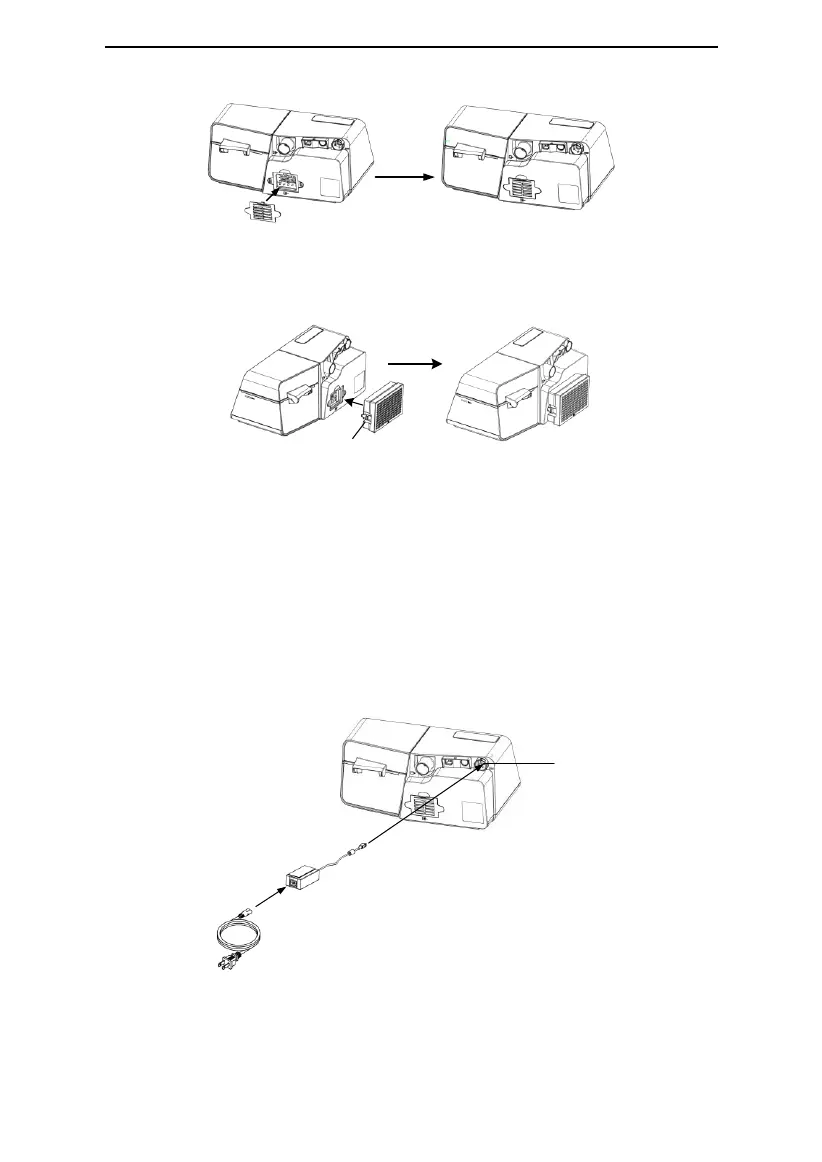
(3) Change the air filter and filter cap to the PM2.5 filter, as shown in Fig. 11-3.
Fig. 11-3
CAUTION!
• The air filter or the PM2.5 filter must be in place when the device is operating.
• Installing the air filter and filter cap or PM2.5 filter, device must be unplugged.
11.3 Connecting to Power
(1) Insert the plug of the power adapter into the DC Inlet on the back of the device;
(2) Connect the power cord to the power adapter;
(3) Plug the other end of the power cord into the power outlet.
Power Adapter
Power Cord
DC Inlet
Fig. 11-4
Note: The length of the power cord and power adapter is 1.5 m and 1.8 m respectively
without the function of preventing electromagnetic interference.


 To Next Page
 Loading...