EasyManua.ls Logo

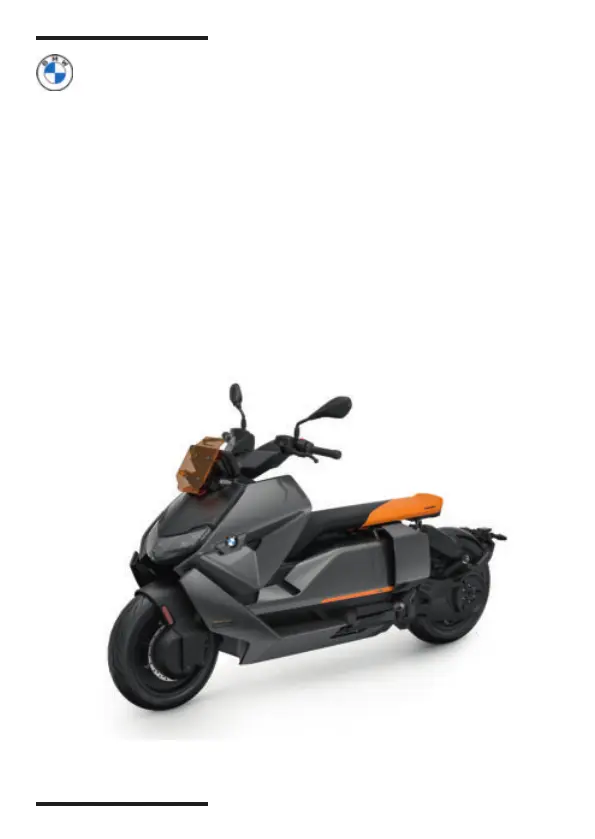
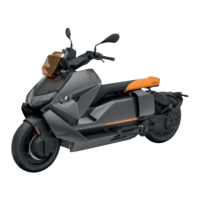
BMW Motorrad CE 04 - User Manual

BMW Motorrad CE 04
244 pages
Print Icon
To Next Page IconTo Next Page
Loading...
RIDER'S MANUAL
(US MODEL)
CE 04
BMW
MOTORRAD
MAKE LIFE A RIDE

Table of Contents

Questions and Answers

  • L
    Larry RodgersAug 11, 2025
    Why is my BMW Motorrad Motorcycle Bluetooth connection not established?
    • G
      Gregory BullockAug 11, 2025
      If a Bluetooth connection isn't being established on your BMW Motorrad Motorcycle, there might be several reasons: * Ensure you've followed all the pairing steps as outlined in the communication system's operating instructions. * Try switching off the helmet's communication system and reconnecting after a short pause (one to two minutes). * Too many Bluetooth devices may be stored in the helmet. If so, delete all pairing entries in the helmet, referring to the communication system's operating instructions. * Avoid pairing when additional vehicles with Bluetooth-capable devices are nearby, as this can cause interference.
  • W
    Willie FletcherAug 17, 2025
    What to do if my BMW Motorrad CE 04 Bluetooth connection is disrupted?
    • T
      Teresa MatthewsAug 17, 2025
      If your BMW Motorrad Motorcycle Bluetooth connection is disrupted, the following could be the reasons: * The Bluetooth connection to the mobile end device may be interrupted. If this is the case, switch off energy saving mode. * The Bluetooth connection to the helmet may be interrupted. If so, switch off the communication system of the helmet and connect again after one to two minutes.
  • W
    Wanda GarciaAug 23, 2025
    Why is active route guidance not displayed on my BMW Motorrad CE 04 TFT display?
    • S
      Sharon ParksAug 23, 2025
      If active route guidance is not displayed in the TFT display of your BMW Motorrad Motorcycle, here are a couple of things to check: * Ensure that navigation from the BMW Motorrad Connected App was transferred. Call up the BMW Motorrad Connected App on the connected mobile end device before riding. * Make sure there is a data connection to the mobile end device, and verify the map data on the mobile end device.
  • J
    Jennifer QuinnAug 29, 2025
    Why is the phone book not displayed on the TFT display of my BMW Motorrad CE 04 Motorcycle?
    • M
      Mia SmithAug 29, 2025
      If the phone book is not displayed in the TFT display of your BMW Motorrad Motorcycle, it might not have been transferred to the vehicle yet. When pairing to the mobile end device, confirm the transfer of the telephone data.
  • S
    Sandra WilliamsSep 4, 2025
    What to do if the playlist is not displayed in the TFT display of my BMW Motorrad CE 04?
    • K
      Kimberly ColeSep 4, 2025
      If the playlist is not displayed in the TFT display of your BMW Motorrad Motorcycle, it might be due to too many tracks in the playback list on the mobile end device. Try reducing the number of tracks in the playback list.

BMW Motorrad CE 04 Specifications

General IconGeneral
Rated Output15 kW
Range130 km
Max. Speed120 km/h
Front SuspensionTelescopic Fork
Rear SuspensionSingle-Sided Swing Arm
Seat Height780 mm
Weight231 kg
Tire Size Front120/70 R15
Tire Size Rear160/60 R15
CategoryElectric Scooter
Max. Output31 kW
Torque62 Nm
Battery Capacity8.9 kWh
Range StandardWMTC
Charging Time (0-100%)4 hours 20 minutes
Charging Time (with optional quick charger)1 hour 40 minutes
Charging Time (fast charging)1.0 hours
Front BrakeDisc Brake
Rear BrakeDisc Brake
ABSYes
Height1, 150 mm
Motor TypeLiquid-cooled synchronous motor, permanently excited

Related product manuals