181
EntertainmentReference At a glanceControlsDriving tipsCommunications NavigationMobility
With calls to the auxiliary phone*, only the num-
ber is displayed if it is transmitted by the net-
work.
An incoming call to the auxiliary phone is auto-
matically rejected if a call with the phone is cur-
rently active.
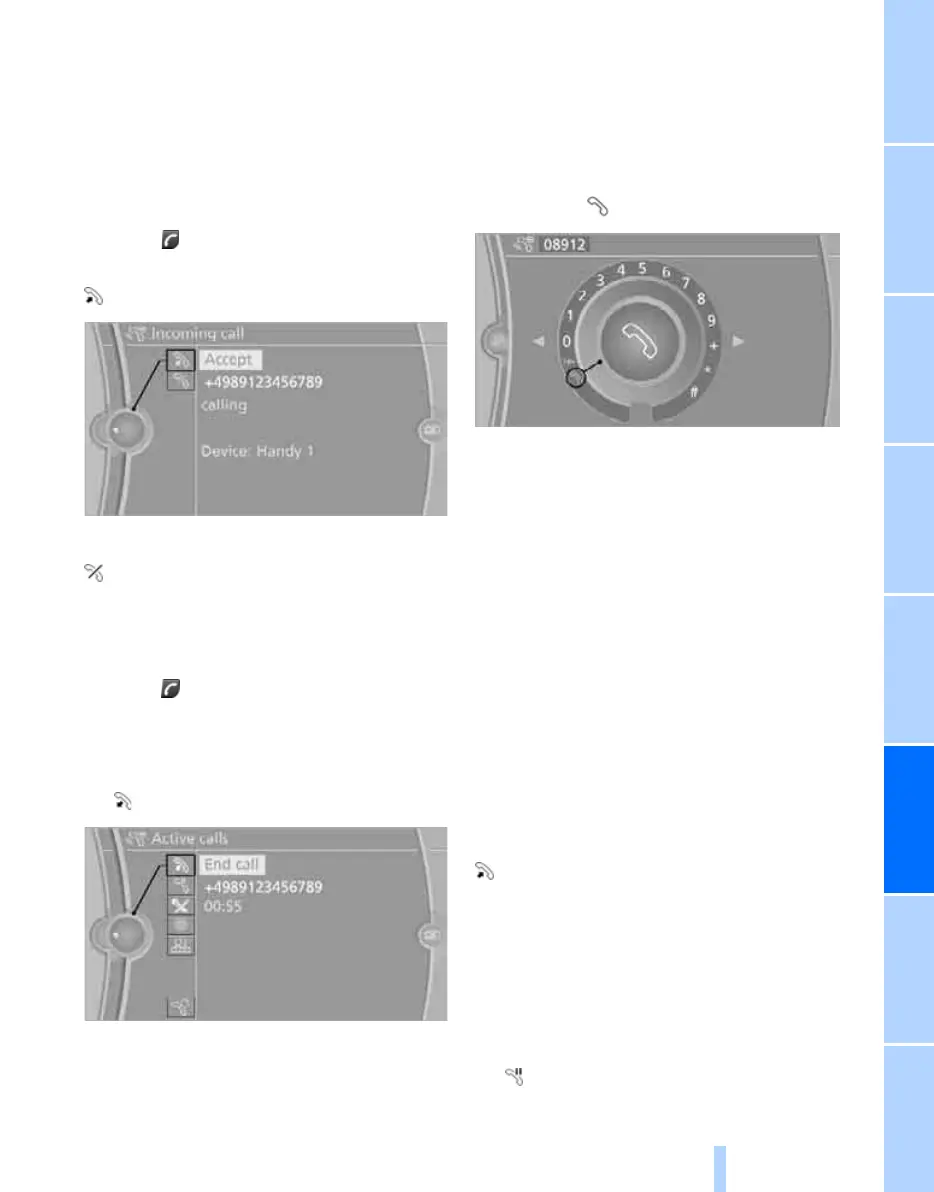
Accepting a call
Press the button on the steering wheel
or
"Accept"
Rejecting a call
"Reject"
The caller is connected to your mailbox if it has
been activated.
Ending a call
Press the button on the steering wheel
or
1. "Telephone"
2. "Active calls"
3. "End call"
Entering phone numbers
Dialing a number
1. "Telephone"
2. "Dial number"
3. Select the digits individually.
4. Select the symbol.
It is also possible to enter phone numbers by
voice.
Calls with multiple parties
General information
It is possible to switch between two calls or to
connect two calls to establish a conference call.
These functions must be supported by the
mobile phone and by the service provider.
Accepting a call while speaking to
another party
This function may have to be activated by the
service provider and the mobile phone may
need to be adjusted for this.
When a second call comes in during an ongoing
call, a call-waiting signal sounds.
"Accept"
The call is accepted and the existing call is put
on hold.
Establishing a second call
Establish another call during an active call.
1. "Telephone"
2. "Active calls"
3. "Hold"
The existing call is put on hold.
Online Edition for Part no. 01 40 2 606 818 - © 03/11 BMW AGOnline Edition for Part no. 01 40 2 606 818 - © 03/11 BMW AG


 To Next Page