197
EntertainmentReference At a glanceControlsDriving tipsCommunications NavigationMobility
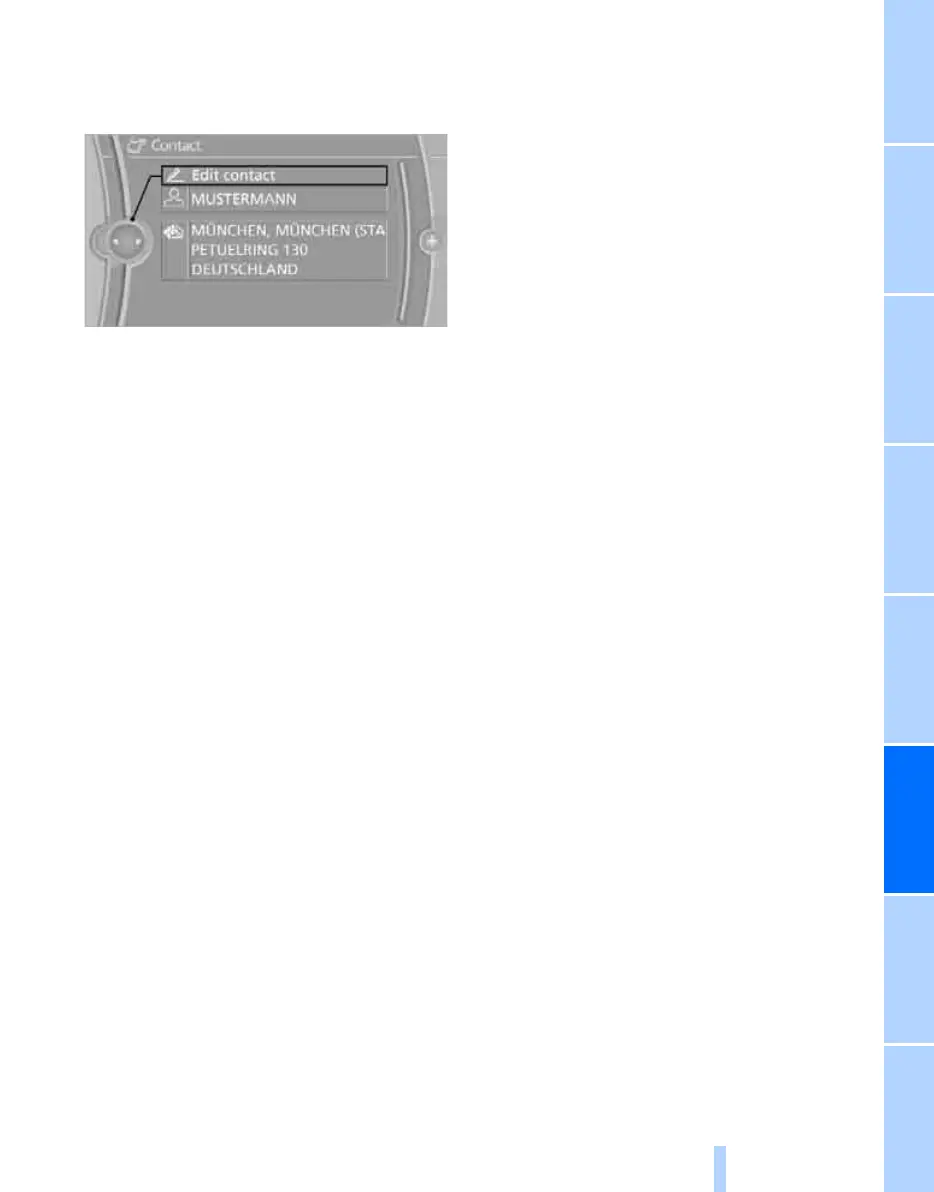
Editing a contact
1. Select the desired contact.
2. "Edit contact"
3. Change the entries.
4. Move the controller to the left.
5. "Yes"
Selecting a contact as a destination*
1. Select the desired contact.
2. Select address.
3. "Start guidance" or "Add as another desti-
nation"
Checking the address as a destination*
An address that is to be used in route guidance
must correspond to the navigation data stored
in the vehicle. The address can be checked to
ensure this.
1. Select the desired contact and highlight the
address.
2. Open "Options".
3. "Check as destination"
4. Correct and store the address, if necessary.
Selecting name sorting
Names can be displayed in different orders.
1. "My contacts"
2. Open "Options".
3. "Display: last, first name" or "Display: first,
last name"
Exporting/importing contacts
Contacts can be exported and imported using
Personal Profile, refer to page 28.
Deleting contacts
1. "My contacts"
2. Highlight the contact.
3. Open "Options".
4. "Delete contact" or "Delete all contacts".
Online Edition for Part no. 01 40 2 606 818 - © 03/11 BMW AGOnline Edition for Part no. 01 40 2 606 818 - © 03/11 BMW AG


 To Next Page