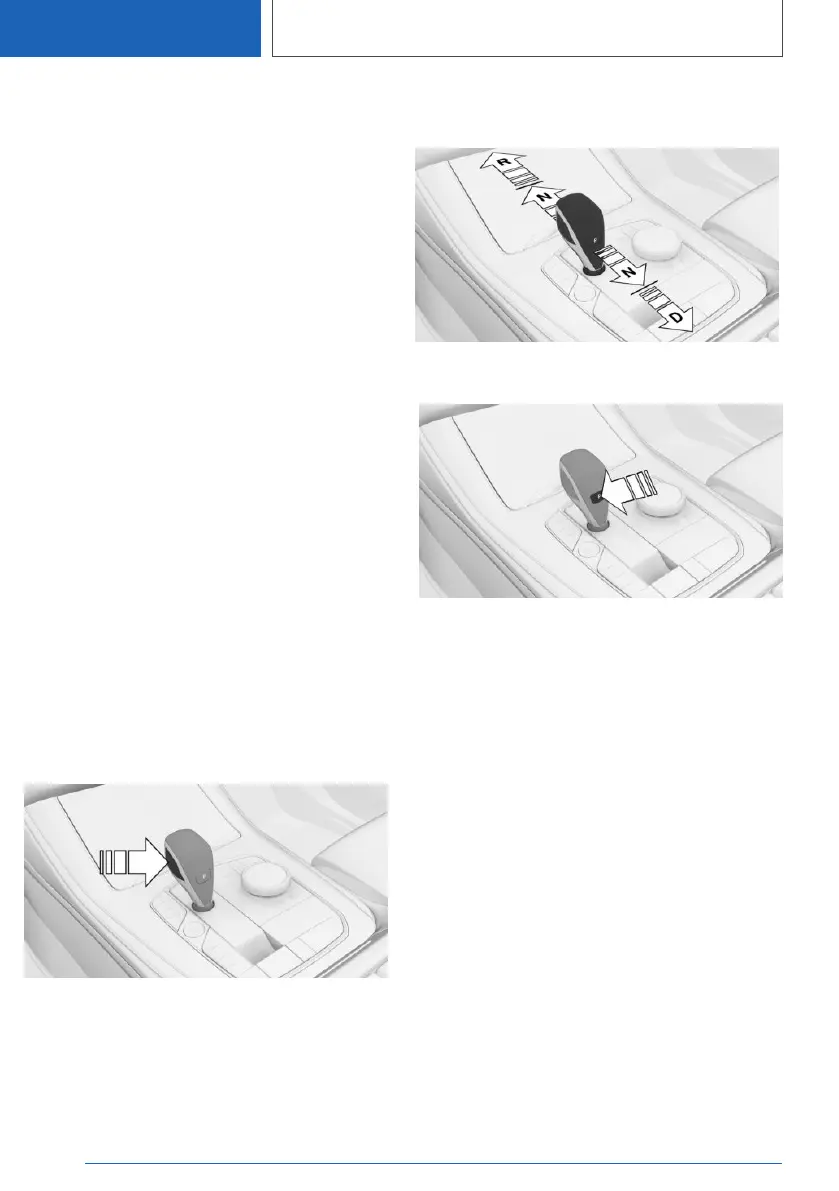
Engaging selector lever
positions
General
Apply the brakes until you are ready to drive off,
otherwise the vehicle will move when a drive po‐
sition is selected.
Operating requirements
The selector lever will only move from position P
to another selector lever position if drive-ready
state is switched on and the brake pedal is de‐
pressed.
It may not be possible to move out of selector
lever position P until all technical requirements
are fulfilled.
Engaging selector lever positions D,
N, R
A selector lever lock prevents the following incor‐
rect operation:
▷ Inadvertent shifting to selector lever posi‐
tion R.
▷ Inadvertent change from selector lever posi‐
tion P to another selector lever position.
1. Fasten the driver's seat belt.
2. Press and hold the button to cancel the se‐
lector lever lock.
3. Briefly press the selector lever in the desired
direction, possibly overcoming a resistance
point. The selector lever returns to the middle
position when released.
Engaging selector lever position P
Press button P.
Rolling or pushing the vehicle
General
In some situations, the vehicle may need to be
rolled a short distance without power, for exam‐
ple in a car wash, or may need to be pushed.
Engaging selector lever position N
1.
Switch on drive-ready state while pressing
the brake.
2. If necessary, release the parking brake.
3. If necessary, switch off Automatic Hold.
Automatic Hold, see page 159.
4. Press the brake.
5. Touch the selector lever lock and engage se‐
lector lever position N.
6. Switch off drive-ready state.
Seite 166
CONTROLS
Driving
166
Online Edition for Part no. 01405A1EA53 - X/20



 To Next Page