Temporary display
1. "CAR"
2. "Settings"
3. "Displays"
4. "Instrument cluster"
5. "Display Assisted Driving View when driver
assistance is active"
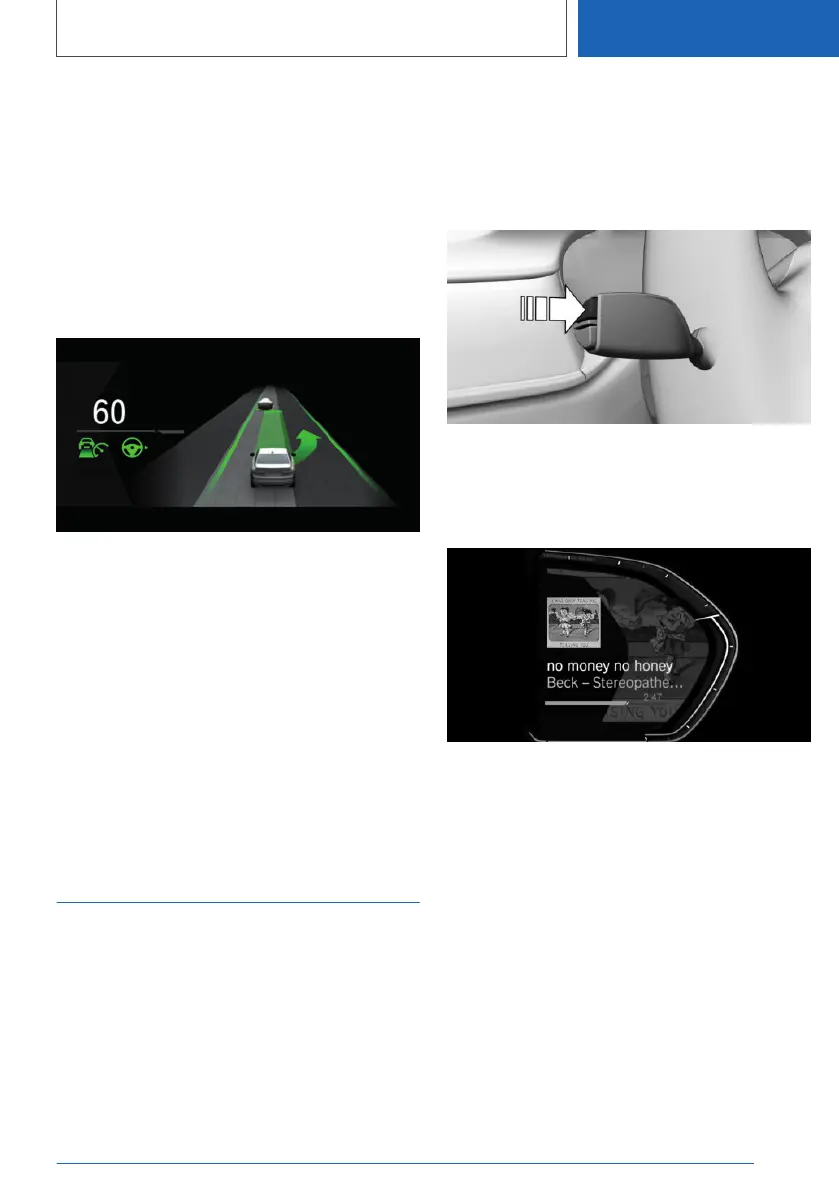
Display
An example: the indicator and warning lamps for
Active Cruise Control with Stop&Go function
ACC and the lane change assistant indicate a
move into the adjacent lane. At the same time,
the move into the adjacent lane is shown as an
animation in the Assisted Driving View.
System limits
The detection ability of the system is limited.
Only objects detected by the system are taken
into account.
Full Black Panel Display:
Widgets
Principle
Displays for particular functions can be shown in
the instrument cluster.
The following displays can be selected:
▷ Current entertainment source, for example
radio.
▷ Torque and power.
▷ G meter.
▷ Journey data.
▷ Efficiency display.
Selecting
Press the button on the turn indicator lever re‐
peatedly until the desired widget is selected.
Display
G meter
The G meter shows the forces which act on the
passengers in the longitudinal and transverse di‐
rection during the journey.
Efficiency display
Principle
Information on the driving style and consumption
can be shown as a widget in the instrument clus‐
ter, taking the form of a consumption display, for
example.
Seite 173
Displays
CONTROLS
173
Online Edition for Part no. 01405A1EA53 - X/20



 To Next Page