If the headlights are converted, high-beam assis‐
tance may only function to a limited extent.
For further information:
Left-hand/right-hand traffic, see page 205.
Activating
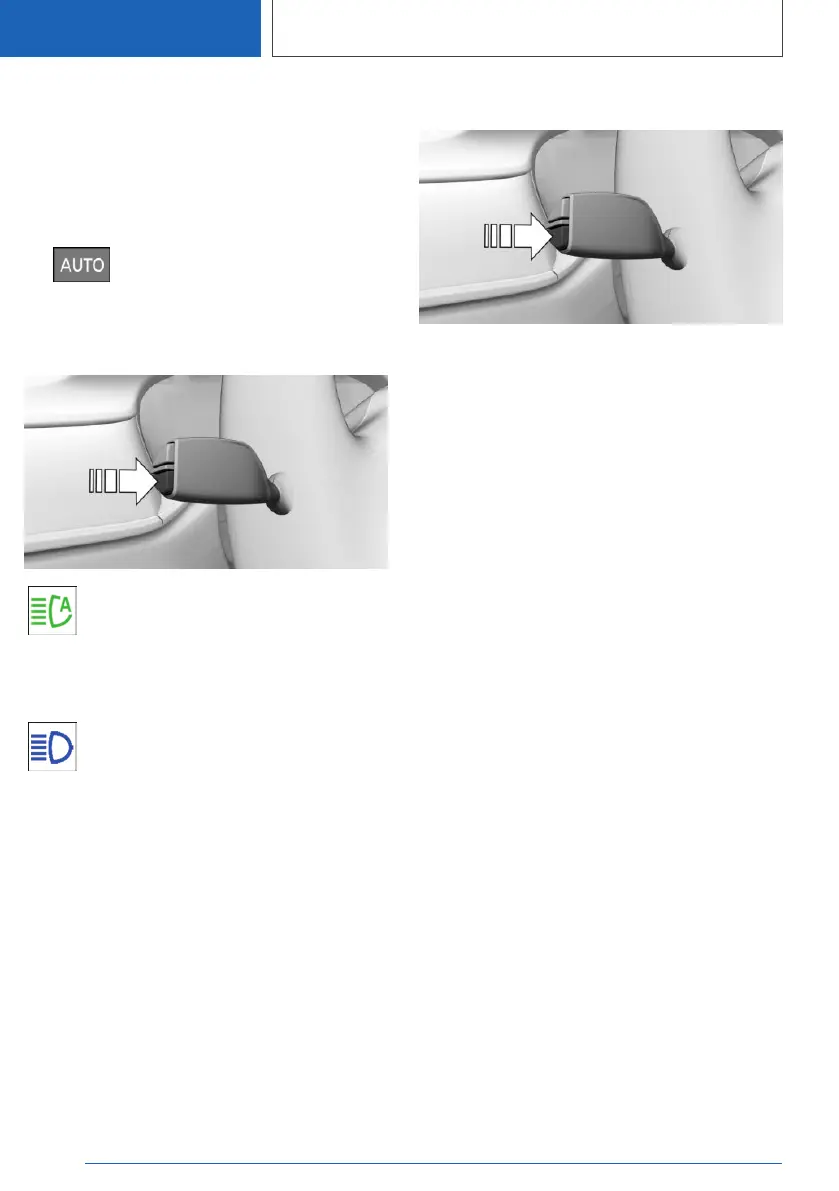
1.
Press the button on the light switch
element.
The LED in the button illuminates.
2. Press the button on the turn indicator lever.
The indicator lamp in the instrument
cluster is illuminated when the low-beam
headlights are switched on.
The system will switch automatically between
low-beam and high-beam headlights.
The blue indicator lamp in the instrument
cluster illuminates if the high beam is
switched on by the system.
If a journey is interrupted with high-beam assis‐
tance activated: when the journey is resumed,
high-beam assistance remains activated.
The high beam assistant is deactivated by
switching the high beams on and off manually.
To reactivate high-beam assistance, press the
button on the turn indicator lever.
Deactivating
Press the button on the turn indicator lever.
System limits
High-beam assistance cannot replace the driv‐
er's own judgement as to when to use the high-
beam headlights. Therefore activate the dipped
headlights manually if the situation requires it.
In the following situations, the system will not op‐
erate or its operation will be impaired and your
intervention may be required:
▷ In extremely adverse weather conditions such
as fog or heavy precipitation.
▷ When detecting poorly lit road users such as
pedestrians, cyclists or horse riders or car‐
riages and when trains or ships are close to
the road, or when animals are crossing the
road.
▷ On tight bends, on steep brows or hollows of
hills, when there is crossing traffic or if the
view of oncoming vehicles on a motorway is
obstructed.
▷ In poorly lit towns or where there are highly
reflective signs.
▷ If the area of windscreen in front of the rear-
view mirror is covered with condensation, dirt,
stickers, labels, etc.
Seite 204
CONTROLS
Lights
204
Online Edition for Part no. 01405A1EA53 - X/20



 To Next Page