Converting the headlights
1. "CAR"
2. "Settings"
3. "Exterior lighting"
4. "Right/left-hand traffic"
5. Select the desired setting.
System limits
High-beam assistance may only function to a
limited extent.
The availability of the adaptive light functions
might be restricted.
Instrument lighting
Operating requirements
The brightness can only be adjusted when the
side lights or the low-beam headlights are
switched on.
Adjusting
The brightness can be adjusted
using the knurled wheel.
Interior light
General
Depending on the equipment, the interior light,
the footwell lights, door entry lighting, ambient
lighting and loudspeaker lighting are controlled
automatically.
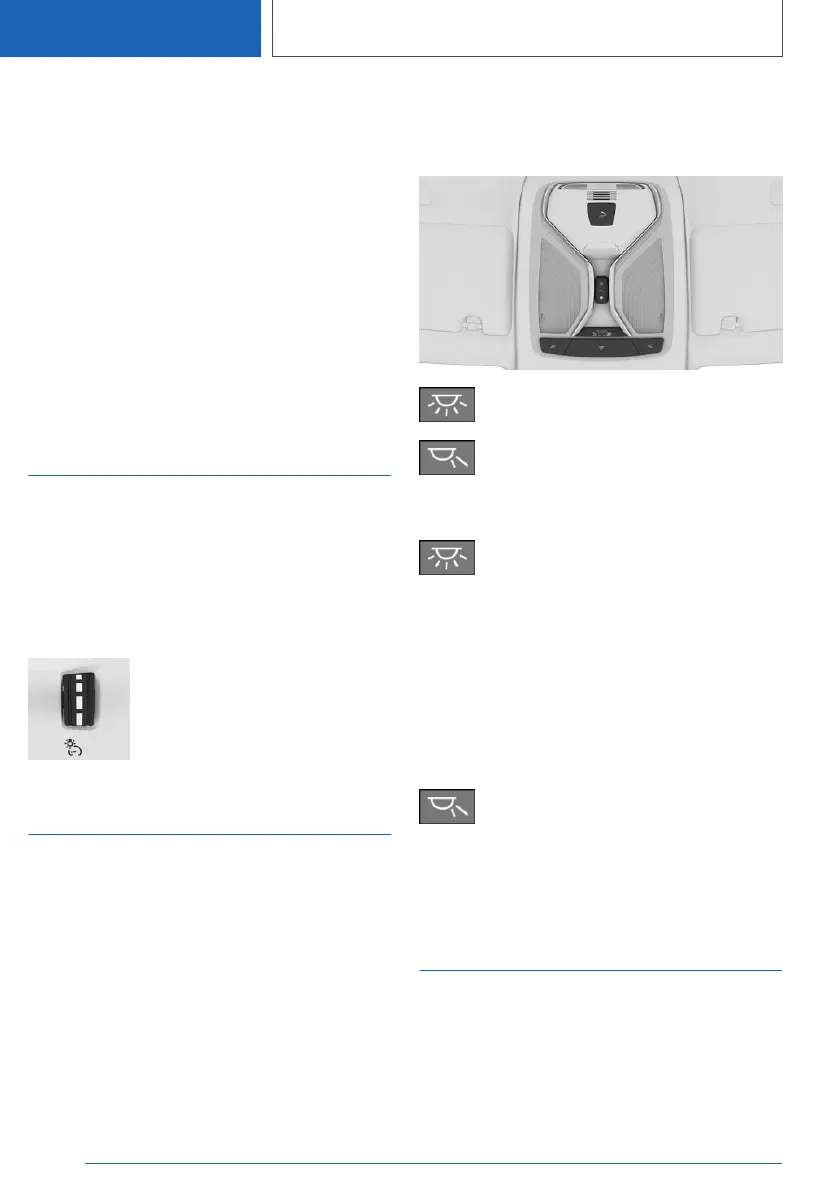
Overview
Buttons in the vehicle
Interior light
Reading lights
Switching the interior light on/off
Press the button.
To switch off permanently: press and hold the
button for approximately 3 seconds.
The interior light in the rear can be switched on
and off independently. The button is located on
the headliner in the rear.
Switching the reading lights
on/off
Press the button.
Depending on the equipment version, there are
reading lights located at the front and in the rear
beside the interior light.
Ambient lighting
General
Depending on the equipment, the lighting for
some of the interior lights can be adjusted.
Seite 206
CONTROLS
Lights
206
Online Edition for Part no. 01405A1EA53 - X/20



 To Next Page